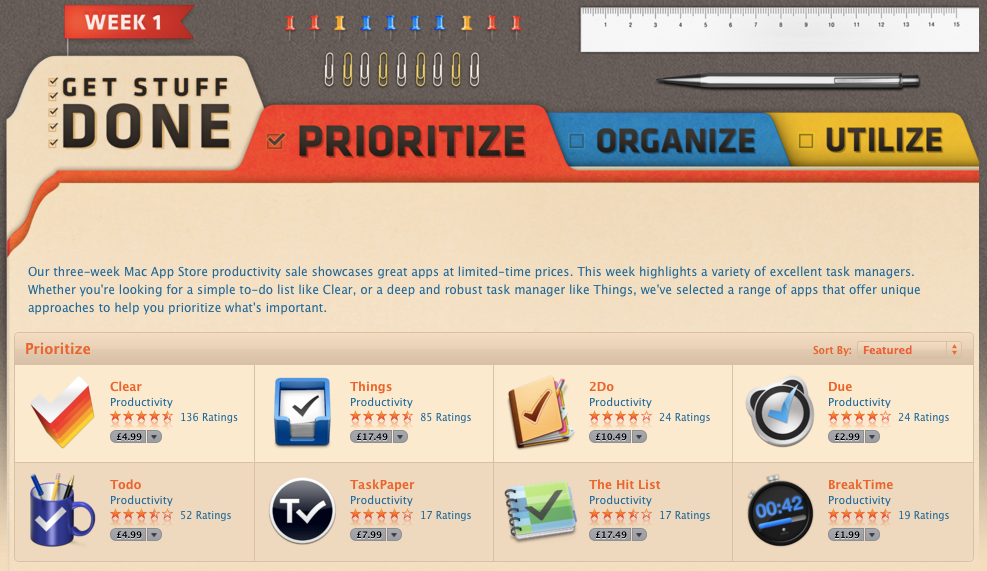
I need another app. Something simpler, something that I can access anywhere. Something to manage my to-do’s. Also need to get my notes sorted, lists etc etc. So I started looking. Maybe Wunderlist, maybe a return to Remember the Milk but nothing seemed to stick. I then read that Apple were doing a promotion on productivity app’s. Maybe I should try Things now that they’ve got cloud syncing sorted?
Does anyone think that this is a great design for an online store? So ugly. Sort it Apple.
Bollocks. Total and utter bollocks.
Instead of, you know, actually doing stuff with the app’s I’ve got I’m pissing around procrastinating. It’s a trap I’ve fell into before and it’s easily done. Mess around looking for a better tool rather than using what I’ve got. Or stopping to use duplicate app’s and settling down on a few core tools.
So Omnifocus will be used for to-do management. It’s iPad app is far better than the Mac client but version 2 is coming soon (and if you are interested in giving it a try there’s a temporary licence available from Omni while waiting for version 2). As for read it later services, Pocket is now my only app. More versatile than Instapaper and available everywhere. Pinboard has become my link saver of choice. Clean and fast and again there are clients on all platforms plus the web. Finally Evernote is for everything else. PDF’s, manuals, guide’s, recipes, audio notes, web pages, scans…the list is endless and I’m making full use of my premium account.
While I’ll still take a passing interest in similar tools I’ll spend more time being productive rather than shifting from app to app. As a certain Raven Storm used to say, focus…or was it concentrate!
Another year has dawned but unlike previous years no resolutions from me. Last years were all a fail due to a variety of reasons so thats brought my public declarations to a crashing halt. The good news is that I weigh less than I did a year ago. Just. The continual weight challenge is still on.
So Happy New Year and all the best for 2013…and if you missed the soundtrack from the fireworks display at London last night then enjoy this. Capped of a great year to be British.
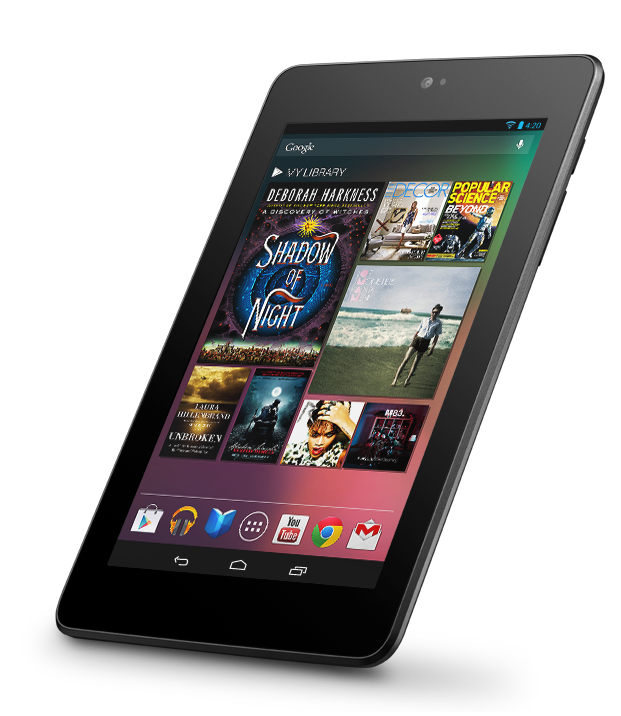
I’ve been an iOS user for 5 years now which is natural as I also use Macs. I love the devices and software but in doing the podcast and seeing so much momentum with Android I had an itch – I really wanted an Android device to play with. I didn’t want a phone as that would involve a contract and I didn’t want a device that had a companies UI grafted on top of vanilla Android. So when the Nexus 7 was launched it seemed to be the ideal device for me to get. The price drop/increased spec’s at the start of November made the choice even easier so I picked up a 32GB Nexus 7 in the middle of November.
As I already have a iPad and iPhone 5 (both new this year) it’s definitely a luxury purchase as it wasn’t as if I had a gap in my gadget library but it has allowed me to compare the different form factors and understand their strengths and weaknesses. What I was most interested in was the software – how good is Android now that Jelly Bean (Android 4.2) is launched and how strong is the third party support? I hate the iOS vs Android posts on the web as the two camps are so entrenched it’s hard to get a view that’s accurate. At least buying the Nexus means I can form my own view and I can also be more informed about Android. I’m also a geek so it was a brand new device and ecosystem to enjoy.
Nexus 7 Hardware Nexus 7I’m not going to cover the Nexus 7 hardware in detail but just mention some highlights. For a full review I’d read The Verge review from June 2012. So what do I like about the Nexus 7?
Ever since Steve Jobs dissed the 7 inch form factor there has been a debate about their value. For me the 7 inch Nexus is an excellent size for a tablet. I can hold it in one hand and read from it easily. I’ve not had an issue with touch points or that my hands are too big for the screen. Indeed Apple bringing out the iPad Mini shows that Jobs ire was more to do with competition to the iPad rather than a 7 inch tablet is too small.
The screen quality is excellent. Much is made of retina screens but I find the text quality on the Nexus 7 is great. No eye strain and no visible pixels either. The screen is 216 ppi which is less than the 264 ppi that the iPad has but similar to the Macbook Pro which has a ppi of 220. One point to note is the screen felt washed out at first. I found that having the brightness set to automatic set it far too low and my current setting is around 40-50% which is ample for me. Video playback is excellent too – it’s a great device for watching video’s on but more of that later.
The weight is excellent. I think this is the biggest advantage over an iPad. I can hold it in one hand, I can read easily on planes, at work or around the house without getting arm fatigue and unlike the iPad the weight is just not an issue. It also feels good in the hand with a grippy dimpled plastic back which makes it less likely that you’ll drop the Nexus.
Overall build quality is good but not quite to the same standard as Apple but it is a lot cheaper that the iOS devices. It never feels cheap though – considering it’s only £160 for the 16GB version it’s a steal at that price.
Landscape mode isn’t the best. It feels squashed and I find it difficult to work in that orientation unless it’s for watching a film. Limitations of a 7 inch tablet with this form factor.
The 7 inch tablet is great for reading, watching video, Twitter et all but I do have issues with it as a work device or content creator. The iPad can do all those things but I found the screen just to small in landscape to create anything useful. Another issue is the lack of software written specifically for Android tablets. More on that later.
It’s been an interesting week for Instagram users. First the company change their terms and conditions and make it pretty clear that adverts are coming and that they will be able to use your photo’s in adverts that they serve. They don’t quite say they are selling your photo’s but for me go pretty damn close. This caused quite a commotion ranging from chatter on Twitter that it’s time to go through to a discussion on Newsnight. Really?
A day later Instagram tried to clarify the position via a wordy blog post, acknowledging that their legal speak had caused confusion for it’s users but don’t worry, we will make the language easier to understand. Meanwhile we will change the terms a bit so it doesn’t appear to be such a major change. Sneaky?
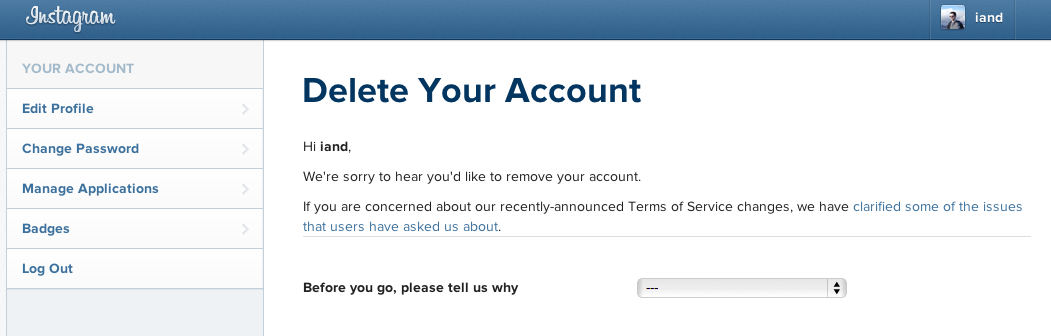
This was a long time coming. Facebook didn’t pay $1 billion purely to stop competition. They have to make that money back somehow and advertising is just one of the ways that they will do that via Instagram. So as a user what choices do you have? Either suck it up and continue to use Instagram or leave and use something else. That’s it. And it’s clear many are leaving because on deleting my account this morning Instagram are actually linking to their clarification blog post.
Instagram now linking to their clarification statement on changes. Seeing a few users leaving?
For me it’s exactly the same as Twitter where they are changing the service into something I don’t want in order to make money but won’t let me pay for something I do want – the service as it stood a few months back. This is the danger of free. Free web services will alter/pivot to suit advertisers and not their customers.
While I have much to say on this topic, Gordon has blogged about this already and covered much of my views so go and read his post and then come back here for some conclusions.
So my Instagram account has been deleted. This is no biggie for me as I took only 14 photo’s via the app. If you’ve taken hundreds and made lot’s of contacts then I can see why it’s not so easy to leave. I’ve had a Flickr Pro account for 7 years and despite looking at 500px, self hosting and new options like openphoto (they have a nice import feature so you can copy photos from Instagram, Facebook and Flickr like I’ve done here) I’ve stuck with Flickr. With the new iOS app update I’m glad I did and I’m hopeful of future improvements down the line. I’ve too much invested to make the move trivial.
Aside from privacy concerns my main problem with Instagram was always fragmentation. I want all my photo’s in one place, and as I was a Flickr user, that one place wasn’t Facebook or Twitter. I never felt a compelling reason to use Instagram. Yes the filters were great and it made it really easy to take and upload an image and also see your friends photo’s and comments quickly, all in one app. Flickr missed a trick in taking 2-3 years to release a decent iOS application. In fact Flickr has been missing a trick since Yahoo bought them but thats a whole other topic. But for me I never got the Instagram bug. I tried but it never clicked.
The lesson for me is to try and stop jumping from app to app, service to service. I pay for Evernote, iTunes Match, Flickr, App.net, web hosting and share my data via Dropbox and iCloud. There’s probably more that I pay for that doesn’t spring to mind which is a problem in itself. App.net shows lots of promise but I have two issues. One is that many of the people I interact with on Twitter haven’t moved which I expected but it has made it far less sticky for me. The second is my time – I find it hard enough to keep up with Twitter (cull coming soon) but adding a second similar social network on top is a time sink. However I need to make more effort with App.net – maybe a Netbot for Mac would help? Even writing that ‘I need to make an effort’ tells me that App.net isn’t working for me. Mmmm.
Will I go all paid like Gordon is musing? It’s probably heading that way. I use Google App’s for all my domains and the podcast and would happily pay a fee each year to keep using those services. Same with Gmail – I’d have no issue paying for a great e-mail service. Where paying get’s frustrating is when iTunes Match goes through a flaky patch yet Googles similar but free service has worked without a hitch so far although I’d expect Google to charge at some point or start showing some ad’s. The excuse that Apple doesn’t get web services is wearing thin.
If I get a great reliable service then I will happily pay – Xbox Live for example has been really good over the years and it’s a service I have no objection to paying for. What I will be doing is shutting down the accounts that I’ve created over the years that I just don’t use anymore. Last.fm jumps to mind – scrobbling from everywhere used to be important to me but not anymore. I will also try and stop signing up to everything shiny and new. Honest.
Well, thats a lie really as I’ve signed up to three new services in the last day or so. When will I learn.
After months of rumour and a week of waiting I finally have the iPhone 5. Technically the sixth iPhone (and my 4th after the 3G, 3GS and 4) I decided against queuing up and this time pre-ordered online and waited patiently for UPS to deliver mine on Friday. While it was great for me the UPS guy didn’t share my enthusiasm as they had thousands to deliver on Friday. Interestingly Apple still had phones to sell on Saturday in Glasgow despite the long queues. Seems to be a lot more stock than in previous years. After a few days use here are my thoughts on the iPhone 5.
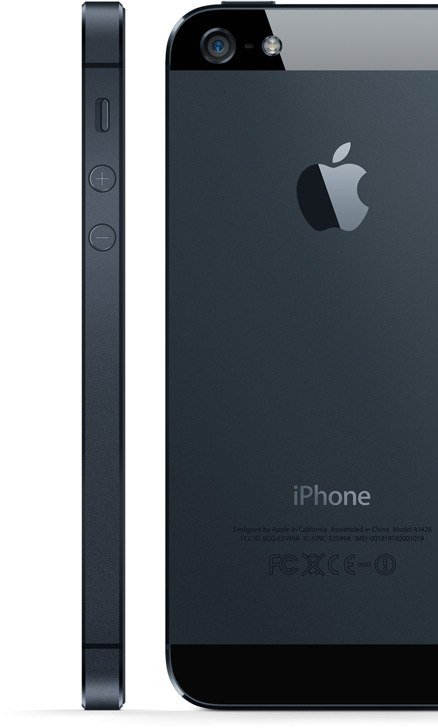
Design The all black iPhone 5Despite all the screenshots and video reviews I was still surprised when I held the iPhone 5 for the first time. It is lighter than expected, much lighter. I’m not sure if thats due to it being slightly taller so the expectation is of a certain heaviness…but it even feels kind of empty when you hold it. It’s remarkable how thin and light these devices are getting.
The metal back should make the iPhone more durable and also helps to reduce weight. The iPhone 5 comes in white or black and I chose black as it’s far less distracting when looking at the screen. It’s also all black. Everywhere. No silver antenna around the edge – all black. The buttons are all black. The Apple logo and text on the back – black. I should really do a fifty shades of black joke right now. No?
Some have described the iPhone 5 as jewel like. This is mostly down to the chamfered edge which does prettify the phone and helps the feel in the hand but one downside is the many reports of nicks and scuffs that the black iPhone 5 is now prone too. I detest scrapes, scratches and marks on my gadgets so I will admit to being a bit nervous about damage over time. Looks like a case is a necessity as I do take care of the phone and I will be looking to sell on in a couple of years time. I’ve been burnt before with cases that also scrape (looking at you iPhone bumper!) so I’ve ordered a sleeve for the iPhone 5 until I can sort out a decent non marking case. Annoying as I hate covering up such a great design.
The move to a slightly taller phone and a 4 inch screen has made the iPhone 5 feel narrower. It is exactly the same width as the 4S and 4 but looks and feels narrower. The screen has moved from 3 1/2 inches to 4 inches but the phone has only grown by 8.6mm. Even writing that makes the change seem small but it’s a noticeable change from the 4. It still fits in the pocket and I’m pleased it’s not got wider. I can still use the phone one handed without having to constantly re-adjust how I hold it.
I’ve said all that without mentioning it’s thickness – just 7.6mm. Not the thinnest phone out there but not far off it. The thickness coupled with the slight increase in height and decrease in weight makes it feel a smaller phone. A smaller phone with a bigger display. Quite a feat.
Screen
186 pixels. Thats what the move from 3 1/3 to 4 inch has given the iPhone 5. It sounds a small change but it does benefit one area greatly – video. Finally iPhone users have 16×9 playback of video. It also offers developers a chance to re-imagine their apps to take advantage of the screen. Calendar now show’s a full week view, e-mail and messages show an extra row and most importantly you get an extra row of app’s in the home screen. Joke.
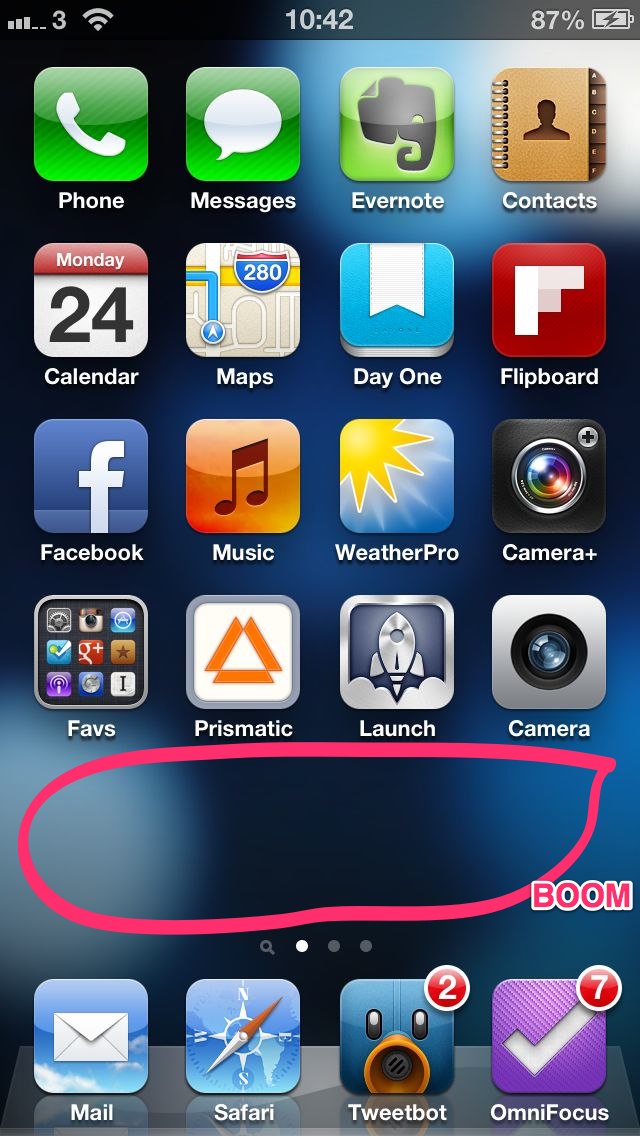
A whole extra row of apps
So the extra pixels will get most attention but the screen quality is much improved. Blacks are blacker. Colour is better. Certainly pops more than previous iPhones but not as vibrant as a couple of Android devices I’ve seen which appear over saturated to me. Going back to the blacks, when an app is running in letterbox mode as it’s not been updated to support the iPhone 5 I can’t tell where the screen stops and the facia starts. The blacks are that good. This is the main reason I’ve stayed away from white iPhones – the black facia disappears but the white one stands out.
Lightning
A controversial change is the new Lightning connector which replaces the 30 pin dock connector that Apple have used for 9 years. The current connector is everywhere – stereo’s, battery packs, cars, hotels. It’s so pervasive that any change was bound to stoke anger.
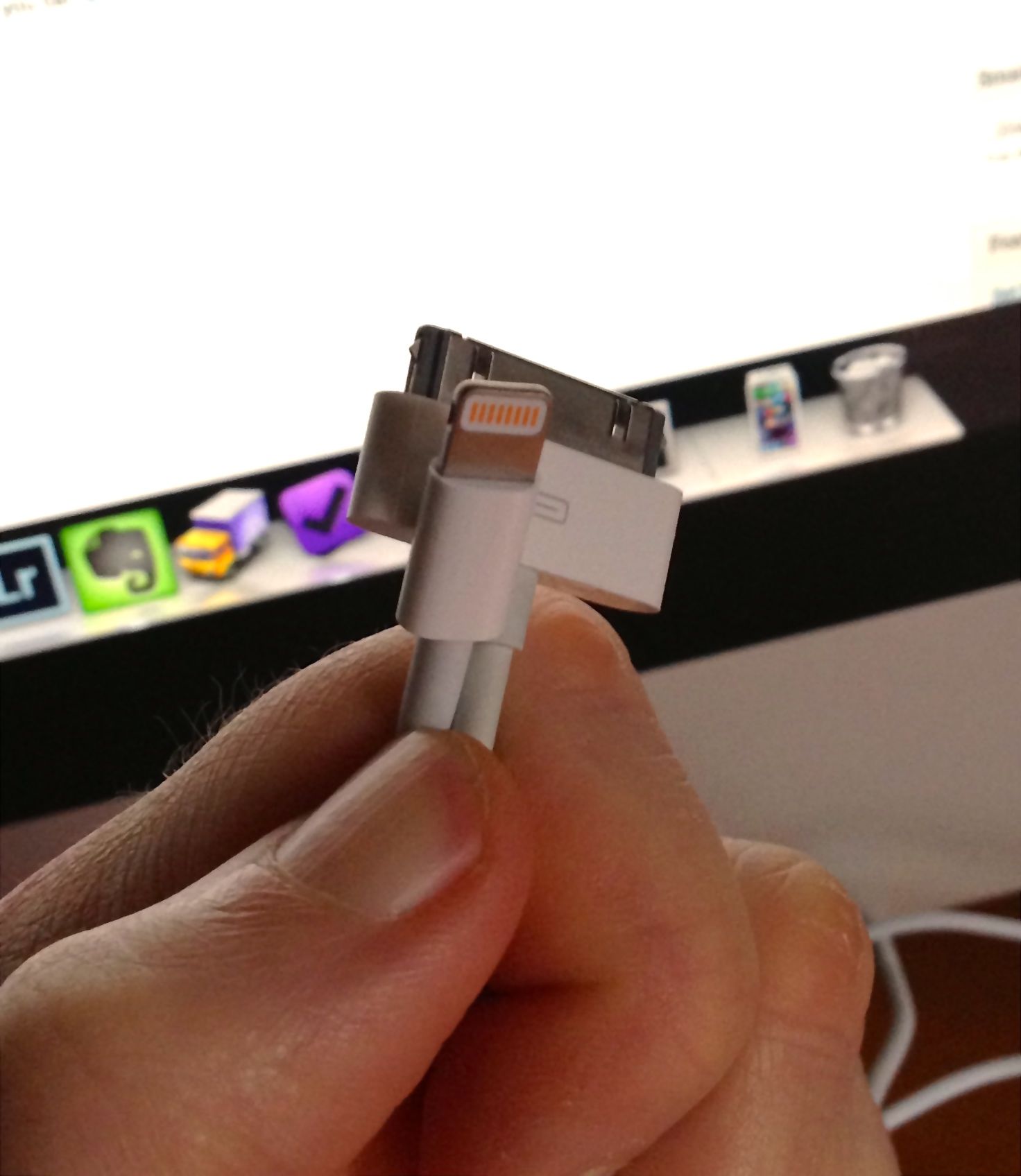
New and Old – Lightning vs 30 pin dock connector
What I didn’t expect, even after seeing the new slot in the iPhone, was just how small the new Lightning connector is. It’s tiny! It’s like a lego version of the old connector. It’s obvious when you compare both as to why Apple had to change. It’s a painful and expensive upgrade for consumers though. A Lightning to 30 pin adaptor from Apple costs £25. A Lightning to USB cable costs £15. You get one of those cables with the iPhone but I’ll need another two. I’ll also still need the 30 pin cable for the iPad. Transitions like this are painful but necessary. It also makes me think that docks are a thing of the past and that a move to Bluetooth or Airplay for connecting to cars, speakers etc will be the way forward.
One other oddity – USB2. I’d have thought the Lightning cable would have at least made the jump to USB3 but it’s still USB2 only. Apple even made the joke in the keynote that they now have Thunderbolt and Lightning. Sync and charging speeds have improved though and no doubt we’ll see USB3 and Thunderbolt versions of the cable in the future.
Speed
The iPhone 5 is fast. Really fast. I’m moving from the iPhone 4 so it’s much more than a doubling of speed that I’m seeing (thats the improvement over the 4S). Across the board the iPhone 5 has been improved. App’s launch faster, wifi speeds have been improved, web browsing is super quick and if you are lucky enough to have LTE or 4G even wireless broadband speeds are excellent. The preliminary tests from Anandtech are showing the iPhone 5 is the quickest smartphone on the market by quite some margin. The video below shows the iPhone 5 (recorded via Reflection) browsing some web pages and launching a couple of apps. I don’t think the speed will get boring anytime soon.
3G or 4GEE
A surprise but welcome addition to the iPhone 5 was LTE aka 4G. This promises up to 100Mb down and 20Mb up, speeds which a lot of consumers in the UK would love for their home broadband connection. 4G in the UK will launch later this year from EE and it will support the iPhone 5. That left me with a choice – stick with O2, move to Orange in anticipation of EE or move to Three. 4G isn’t yet available and there are no details on the cost of the service apart from it will be more expensive than 3G or if there will be any data caps. Orange currently has data caps and while it will be limiting I can’t see EE offering an affordable but unlimited data plan.
As I wanted to move to iTunes Match and also use the iPhone for tethering moving to Three was the sensible option. As I don’t do that many calls I’ve moved to a low cost but unlimited data monthly plan from Three. If EE ends up offering a competitive service in the UK then I can easily switch. Speeds so far on Three have been excellent with download speeds consistently around 7Mb, uploads around 2Mb. One other point with Three is they support HD Voice with the iPhone 5. The call quality certainly seems to be better than with O2 using the iPhone 4.
Camera, Siri and Battery
The camera hasn’t changed much since the 4S but it does have better lowlight capability and it now supports panaroma’s. While many third party app’s have supported this for a while I’ve not seen one quite so well implemented.
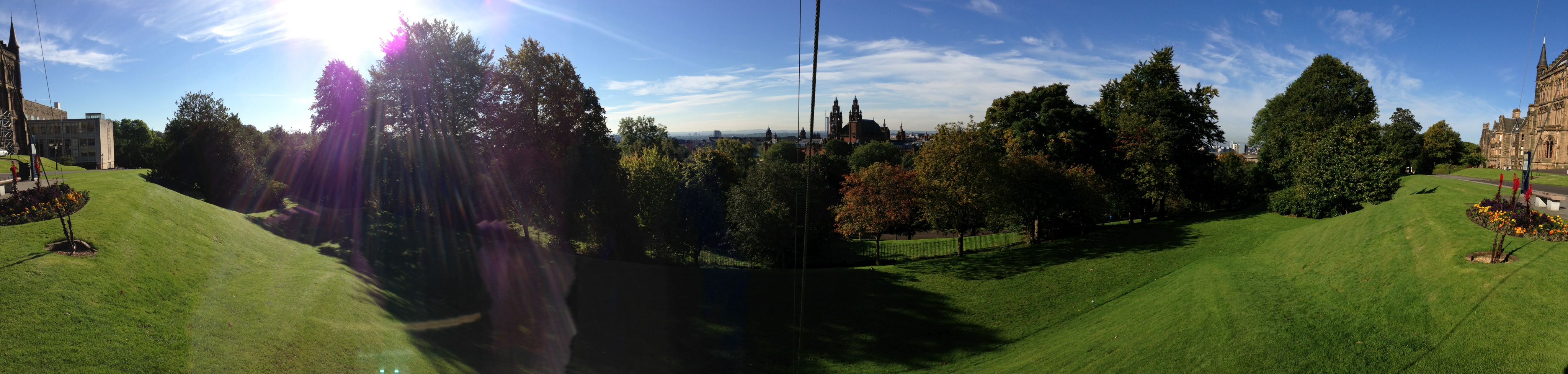
Panorama from Glasgow University
The camera app guides you when panning so you don’t go too fast or slow and also directs you to follow a line when panning to give you the best results. I’ve been really pleased with the panorama’s I’ve taken so far. The shot above was from a sunny Glasgow University overlooking Glasgow. The quality when looking at the full size image is good – it only took a couple of seconds to produce that image as well. I’ve been impressed with other pictures I’ve taken and the speed of launching the camera app and taking a picture on the iPhone is fantastic.
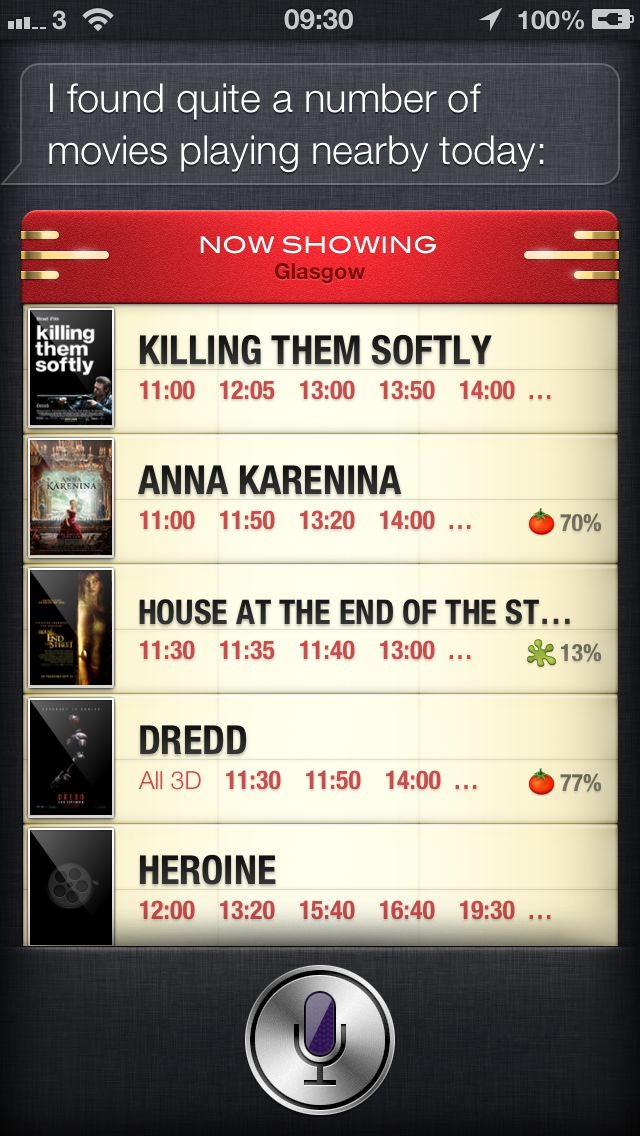
This is my first phone with Siri (been using Siri on the iPad for a couple of months) and it’s working pretty well. Some words I say seem impossible for Siri to understand no matter how slow I say them but in most cases it works well. It’s a shame that third party app’s can’t tap into Siri as that would really make it a lot more powerful but for even just asking ‘what movies are playing’ and seeing all the movies in the local area with playtimes and links to reviews Siri gets a thumbs up from me.
Siri – what movies are playing today?
With all these improvements and a smaller size thankfully battery life is the same if not better than with the 4S. I’m getting around 36 hours out of a charge and that involves quite a lot of activity – streaming music from iTunes Match, gaming, browsing, e-mail, messages and watching video’s. After a few days I’m satisfied that battery life has improved although I would have traded the thinness for a bigger battery.
Earpods
The new earbuds that Apple now box with iPhones, iPods etc are called EarPods and have taken three years of research and design to develop. They are an improvement over the old earbuds but that shouldn’t be much of a surprise. Sound quality was ok but for me missing good bass that I have with my current earphones. The EarPods sit in the ear and don’t need pushing in so initially comfort seemed good but after an hour or so I found my left ear was getting uncomfortable. They also lacked volume for me compared to what I’m used to. So a nice upgrade but if you need to replace your current earphones I’d say there are better earbuds on the market for £25 and The Wirecutter has some great advice if your looking to upgrade your earphones.
iOS6
Before I wrap this up, here’s my thoughts on iOS 6 which is the most incremental update so far. By far the most controversial change is Maps. Plus points for me are the better graphics and turn by turn navigation. The maps look better (colour and design) when compared to Google maps. They are also vector based so draw and render more quickly than the old bitmap tiles. Turn by turn has been reliable so far for me although the journeys have been fairly short and not the most complex. However it’s clear that the Maps app is serving up maps that are sparse, old and in many cases just wrong. Maps isn’t easy and Google has a many year, resource and data advantage over Apple. However Apple have been building this tool for three years so they don’t get a pass just because the app is new.
It’s a worse user experience and thats what disappoints. Over time the maps will get better. The amount of data that Apple will now be capturing is huge. I can’t see the gap to Google being met anytime soon but it’s clear that maps are a strategic asset for Google, Nokia, Microsoft and now Apple and Amazon. Each have or are developing their own mapping service. Apple’s will improve as money, resource, time and also feedback from users improve the service. I just hope Apple focus on getting the basics right rather than spending effort on gimmicks like Flyover.
Amongst the new features I like are Do Not Disturb. I can finally set a time when I won’t be disturbed by Notifications from games and app’s. Used to bug the hell out of me that I couldn’t set a quiet time. Updated Siri is really nice as are the tweaks to Safari. I like how iCloud Tabs work by sharing whats being browsed on each device rather than syncing the actual tabset. Far more useful than Chrome’s tab syncing. I also like the Facebook integration which works similarly to Twitters. My final notable improvement is on the phone app – you can easily send a call to voicemail, set reminders based on the call or send a quick message that you are busy. Handy.
It’s too early to tell how useful Passbook will be. This should integrate store cards, flight, hotel and cinema bookings into one app. Passbook will then present the appropriate card or ticket based on times and locations. It demo’d really well but in practice there is very little support right now.
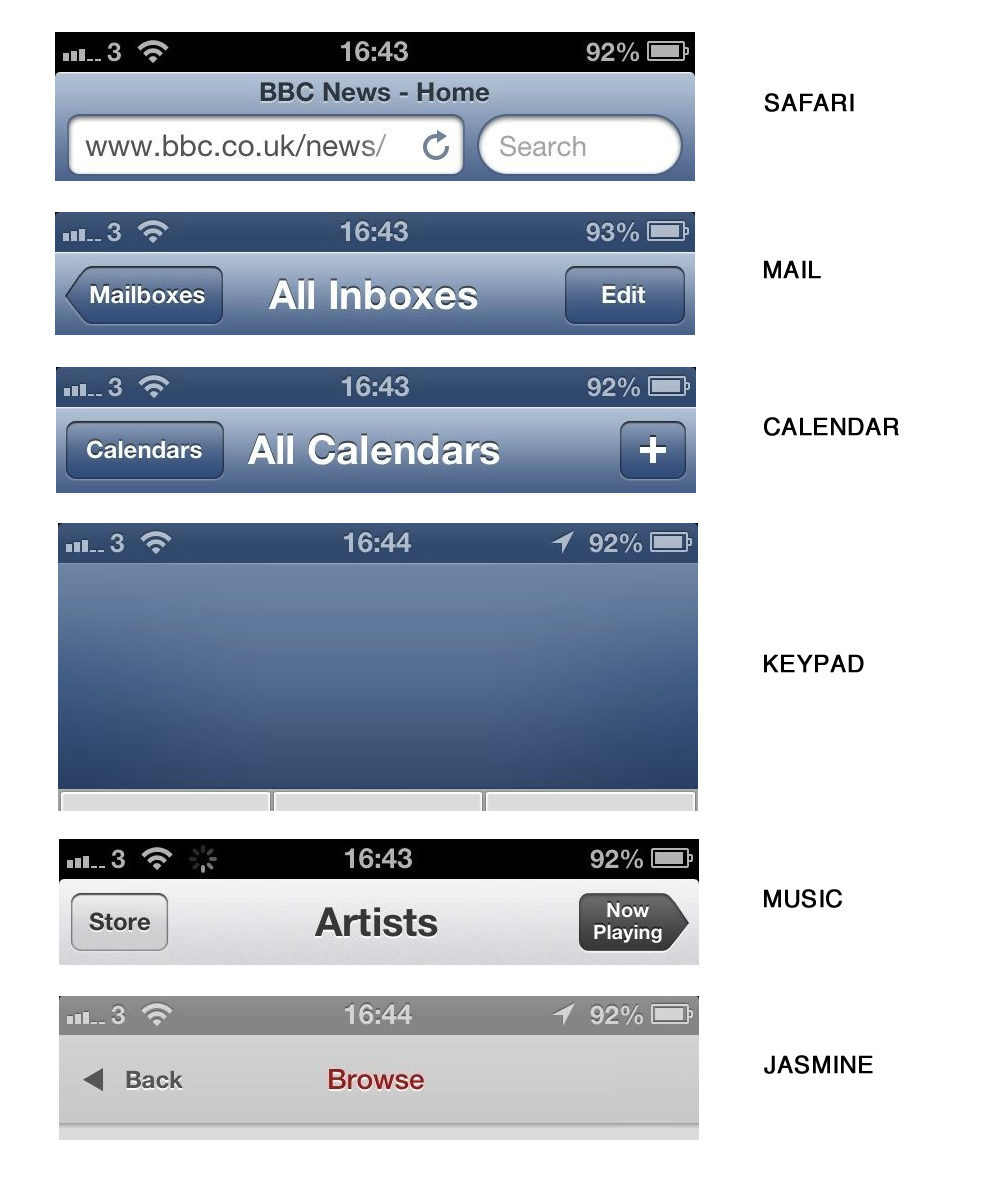
Unfortunately it’s time for a couple of grumbles. First up – the status bar changes colour to try and match the currently running app. Who in their tiny little mind thought this was a good idea? It is a small change but to me interferes with the purpose of the status bar. I was used to the change in colour meaning something. Why did Apple spend time implementing this?
iOS 6 and it’s colour blending status bar
The colour change isn’t even consistent across Apple’s own app’s. Grumble grumble grumble.
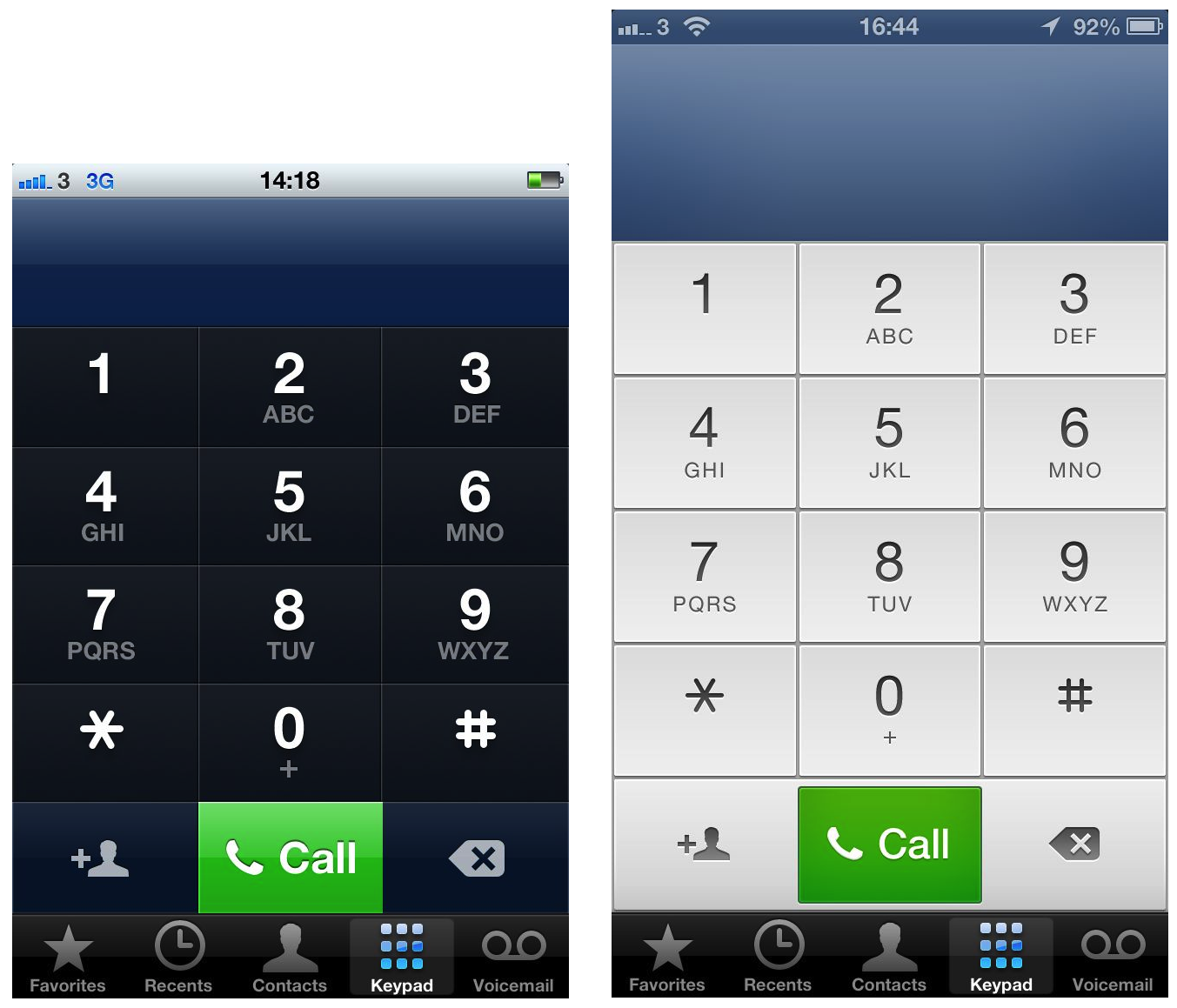
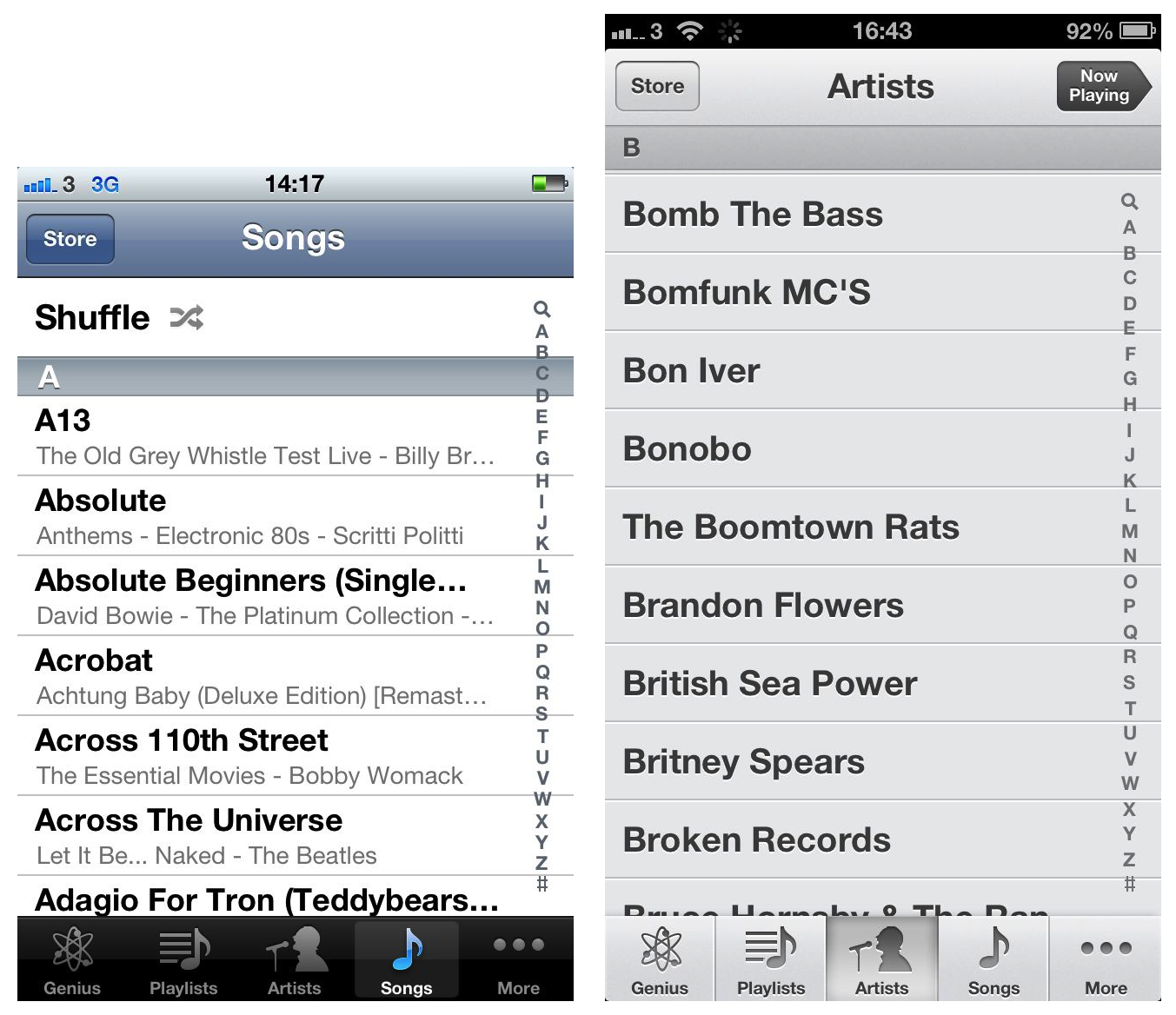
I also hate the look of the music app and also the dialer on the phone. Very little consistency and it just feels a bit out of place. The phone app could have done a lot more to take advantage of the extra pixels but alas, they just made the top section bigger while slightly increasing the button size. Lame.
iOS 5 vs iOS 6 Keypad – new design is a step backwards
The keypad above shows that in iOS 6 they have kept the same button style at the bottom. Yet in Music, the style has changed. It’s those little details and lack of overall consistency thats becoming more and more frequent. The attention to detail given to the iPhone 5’s hardware is clearly lacking in iOS 6.
iOS 5 vs iOS 6 Music app – totally different look and now inconsistent buttons across iOS 6
iOS 6 feels like a missed opportunity. Why can’t I change the default app’s for Mail, Calendar and Browser? Widgets in the notification screen? Coupled with the Map issues and the lack of Passbook support it all feels a bit of a damp squid. There’s no major usability changes between iOS 5 and 6 and really no innovation thats makes the iPhone or iPad easier or better for it’s users. Disappointing.
Wrap-up
The iPhone 5 is a triumph in design and specification. It looks great and in day to day use feels just right. The extra pixels are welcome and do make a real difference to applications. Apple rarely get involved in the performance race but everything points to this being the fastest phone on the market today by quite some margin. The speed of the iPhone 5 is for me the most impressive aspect. Web pages fly, app’s load really quickly and tasks like searching in Evernote or checking in on Foursquare are surprisingly rapid.
If anything it’s iOS that’s looking long in the tooth…even boring, not the iPhone. It’s reached a level of maturity as has the app ecosystem that there is little new here to excite users. Apple has proven in the past with the early death of the floppy disk, the DVD, the switch to Intel and now the move to Lightning that it doesn’t shy away from radical change but iOS is evolving at a slower pace than the hardware it supports. Maybe iOS and the hardware will take yearly turns at making major moves forward? Only time will tell.
I don’t see much if any revolution in the smartphone market but Apple has again produced an update to the iPhone that has produced one, if not the, best smartphone around today.
There’s something about last weeks Apple event that just doesn’t sit right. It’s not really the event itself. It followed the usual format and first up was the iPhone 5. Larger screen, LTE, better camera, thinner, lighter, improved battery and an improved design. Twice as fast as the 4S it was a no brainer upgrade for me as I’m still using an iPhone 4. I’m really looking forward to the new phone as it’s quite the upgrade although I have to agree with Chris – I’d have kept the same depth of the current iPhone for a bump in battery life.
The iPod Touch saw a great step up as well whereas the Nano…not so much. A far better device than previous but so many wanted a watch sized device so the move back to the taller device hasn’t been well received. iTunes 11 promises…something. The app is so frustrating sometimes that I won’t believe it’s improved until I can actually use it.
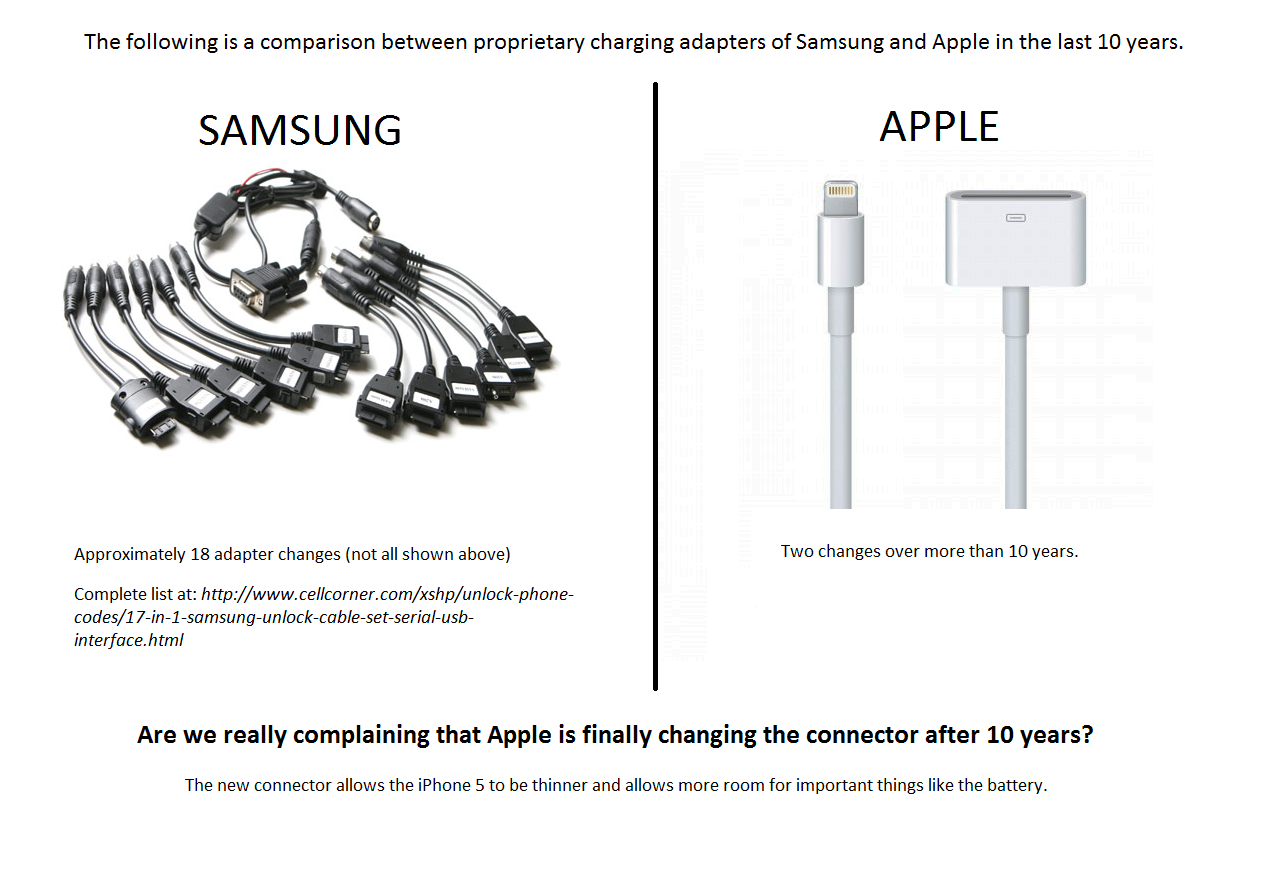
One change that wasn’t so well received was the new connector – Lightning. It sounds so cheesy. Yes – we have Thunderbolt and Lightning. Worse, it’s still USB2 so I’m not expecting any speed improvements, at least not initially. I’m sure over the years we’ll see it support USB3 and Thunderbolt. For now it feels an inconvenience. How dare Apple change the connector that they’ve used for almost 10 years. But it had to happen. The dock connector has felt old for a few years. It was bulky and sometimes awkward to use especially on the Touch and iPad 3. Although frustrating spare a thought for Samsung users who in the same time that Apple has made 2 changes have went through 18. Wow.
Biggest disappointment for me was the lack of anything new in iOS6 that wasn’t already known. Last year saw Siri as a surprise. This year there was nothing really – comments in shared photo streams is about the only new feature compared to what was shown at WWDC. I think iOS is the one area that is really starting to stagnate. Will next year see a big change in the operating system? Android is at least as good if not better now so Apple no longer have that as an advantage.
So a great new phone that will probably be Apple’s biggest seller yet. I don’t pay too much attention to the sellout claims of it being 20 times quicker than last year. No one has any figures to work against at the moment so it’s all just link bait.
And I think thats the area that doesn’t sit right. The tech community at large demands new gadgets. New features. New software. However the industry as a whole is one of incremental change. The S3 is better than the S2 but not drastically. Same with the Nokia 920. Ice cream sandwich was mostly polish and performance and low on new features (like iOS 6 and to a certain extent Windows Phone 8 or whatever it’s called this month). Looking at the iMac and the Macbook Pro it’s evolution each year.
I don’t mind that at all. Evolution of great products over time is a good thing. Improved speed and battery life are with incremental design improvements are great. I use this device every day and I love it. But after reading Everything Is Amazing and Nobody’s Insightful tonight I tend to agree with the author – the tech journalists demand more. It’s like an echo chamber. Each site posting leaks and reposting what they have read elsewhere. Leaks become fact due to the amount of blogs copying the same post over and over again. It’s getting boring. Not the technology. We’ve never had it so good. The tech blogs need controversy, they need amazing new machines to fawn over but most importantly they need clicks.
Just under a month ago App.net launched it’s own Kickstarter style appeal. Give us $500,000 and we’ll launch a real-time social service where users and developers come first, not advertisers. This would be a paid for social network where user and developer concerns outweigh advertisers. This would be a social network unlike any others as you would have to pay every year to continue using the service. A paid alternative to Twitter.
This all stemmed from the threatening and changing tone from Twitter. Where initially they wanted the support of developers (and indeed saw many features grow organically from the user community) over the last 6-12 months there is a definite change in how they work with third party developers and an increase in adverts. A service like Twitter doesn’t come cheaply so the adverts are a necessary evil for a free network.
App.net promise an advert free network and fully open API. It sounded great but I was and still am sceptical. Will it attract the numbers required to make it useful? Will it become a walled garden? Will it get third party support? There’s a pessimistic/realistic post from MG Siegler that sums up many of the problems App.net faces.
The idea still appeals though, hence I’ve signed up. I like paying my way on the internet if I get a better service. I pay for Flickr as it keeps it ad free for me and I still think it’s a great site despite the many free options out there. I pay for web hosting despite wordpress.com as I get more control over how my site works. I’m hoping that by paying for App.net that I’ll get rich conversations, I won’t have to suffer adverts and it should be spammer free – how many spammers and trolls wil pay $50 a year? I guess I also have expectations that may be difficult to deliver initially as it’s a brand new service up against the like of Twitter and Facebook, but if people don’t support ventures like App.net then we will forever be used to selling our privacy and data for allegedly free web services. Like many have said, I’d pay for a premier Twitter account if it could keep me advert free, gave me full search etc.
I hope App.net succeeds but even if it doesn’t I’m hoping that it will at least jerk Twitter into providing a better service longer term. With three days to go it will be touch and go to get the $500,000 funding but they are progressing – the alpha is now live and the API spec is available on Github. Will I see you on App.net?
Mountain Lion has been out for over a week now. While generally stable it does feel like a really small upgrade…although it was for a small price. Some initial thoughts below:
– Wake from sleep – are they doing the same as iOS and displaying an image and then the actual desktop? In fact as the week has went on I’m convinced the wake is slightly slower than on Lion.
– Definitely snappier and faster than Lion once booted. Seeing the speed increase when I upgraded the Air and especially on the iMac where I went for a fresh install.
– I really like tab syncing across all platforms. Very handy and it happens quickly without any distraction. Like many things, it just works.
– Sharing is useful. Needs to allow for other services to plugin. Knowing Apple that will be in next years update.
– Safari – stable on the Air but totally unstable on the iMac and thats with a fresh O/S install, no extensions and no flash. Strange. Impressed with Safari speed though. Finding it much faster than Chrome and it finally unifies address and search bars. I do notice that CPU usage is high with Safari. I think it will be one or two point releases before I try Safari again as it’s just not stable at the moment.
– iCloud doc’s still confuse – my head does not get each app having it’s own document store – easy to lose content? Maybe I need to use it more.
– Dictation actually works…mostly. Best for short statements like a tweet though.
– Battery life on my 2012 Air is reduced by Mountain Lion and by quite a margin. Hope Apple address this quickly. Also noticed that the magsafe adaptor goes green but the battery is at 95% and still has 20 mins to get fully charged. CPU issues from Safari and a battery that isn’t always fully charged might explain my shortened battery life.
– Notifications are good but not as useful or granular as Growl.
– Yet to be convinced by Messages. Conversations don’t sync across platforms for me. Handy to be able to send large files to and from iOS though. Won’t replace Adium for IM mostly due to the poor UI.
– New screensaver options are good.
– RRS button removed in Safari. Probably says more about RSS than anything else. There’s an extension to get back the feature though.
– Those invisible scrollbars are much improved.
– Dock looks clearer, not so much the running app indicators. Maybe they aren’t needed after all?
– Most third party app’s working fine. Not as big an issue as when Leopard or Lion came out.
As the clock ticked down to Friday I have to admit to getting quite excited about the Olympics. I’m a massive sport fan so love the Olympics but there was so much buzz building over the last couple of weeks that the Opening Ceremony was essential viewing.
Could Danny Boyle pull it off? Could Britain pull it off?
Course they could.
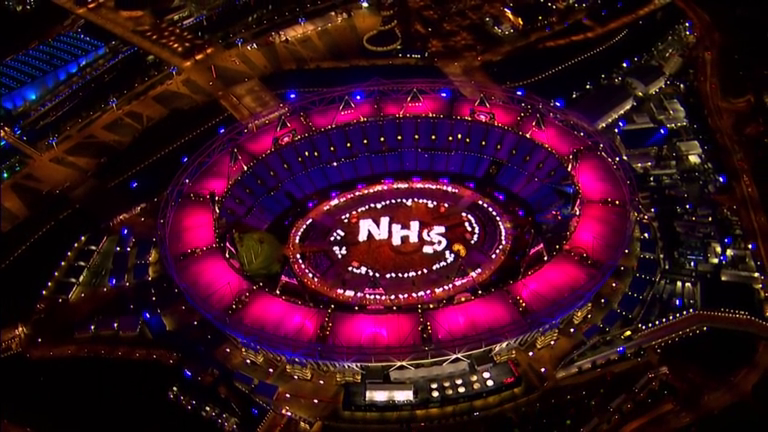
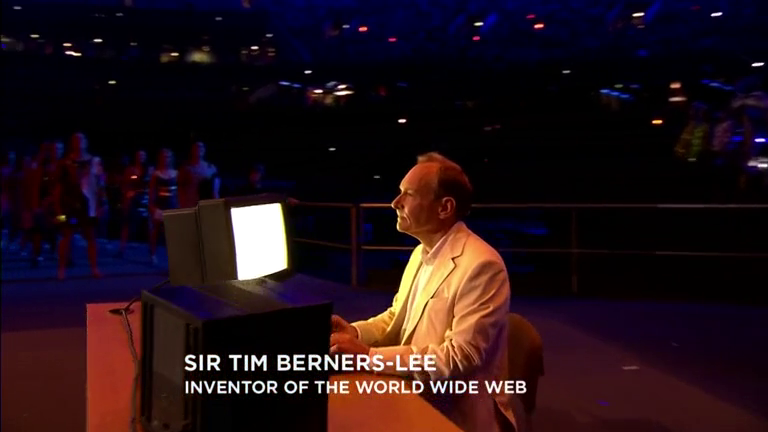
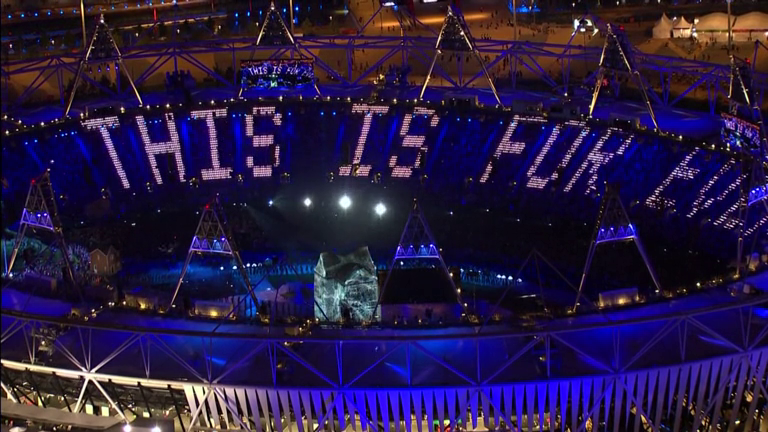
From a shaky start the whole show was a success. Visually impressive with some fun along the way and rooted with an immense soundtrack it was an opening made in Britain for Britain. It left almost everyone bursting with pride. As Sir Tim Berners-Lee tweeted, “this is for everyone”. And it was. No matter who you were there was a hook in that ceremony. Some tried to politicise the ceremony and class it as left leaning. Utter nonsense and looking back, all Olympics and sporting events of this size have a political edge. Some critics also said that much of the show would be lost to international audiences but previous opening ceremonies would have been lost on me if it wasn’t for the commentator reading from his or her crib sheet. Danny Boyle and his team crafted a show that galvanised a nation and set the tone for the next two weeks of competition.
A few of my favourite moments below. Ok, lots of my fav moments lifted from the BBC broadcast. Far better photo’s from the ceremony can be found at The Big Picture.
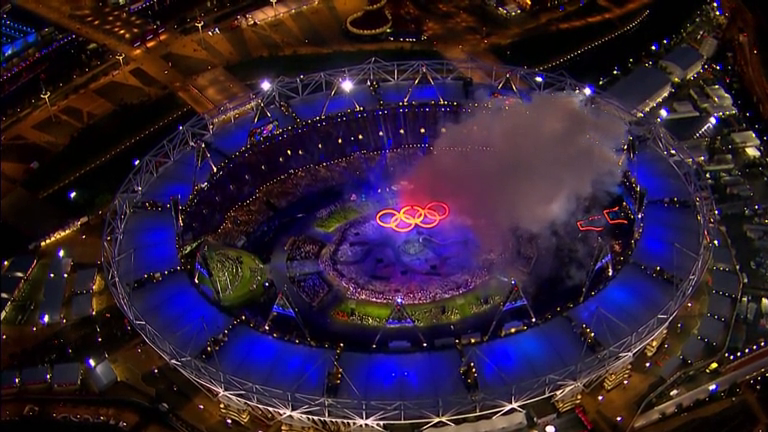
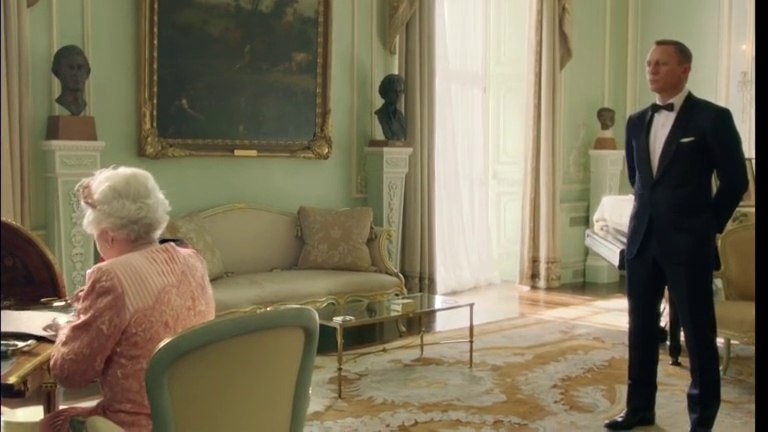
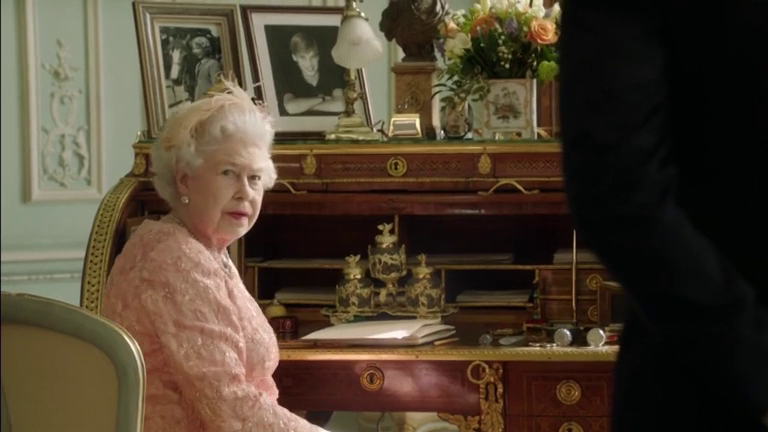
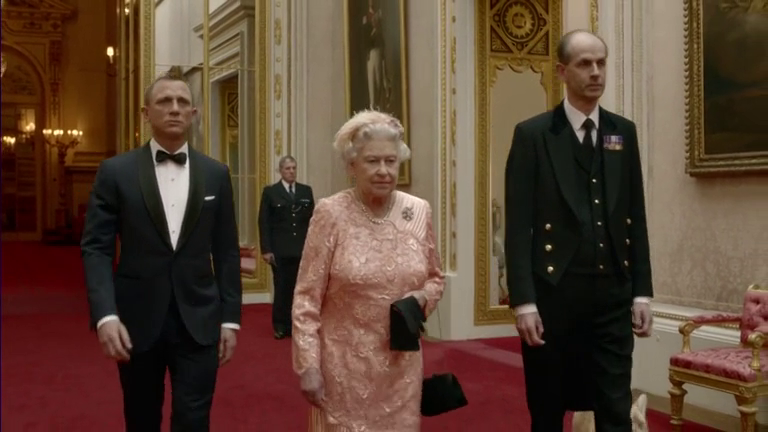
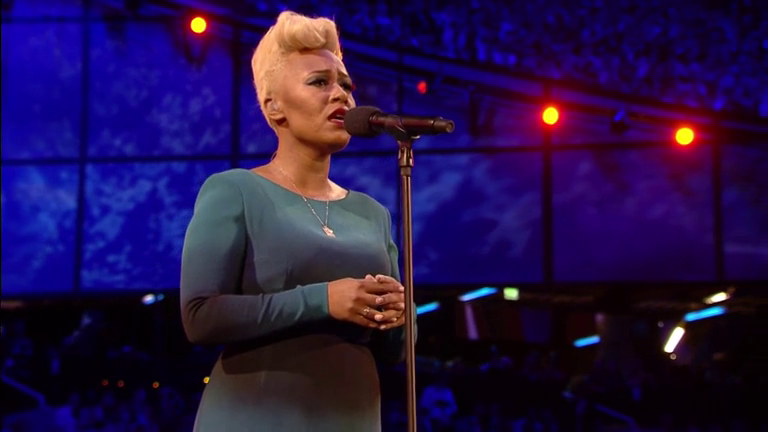
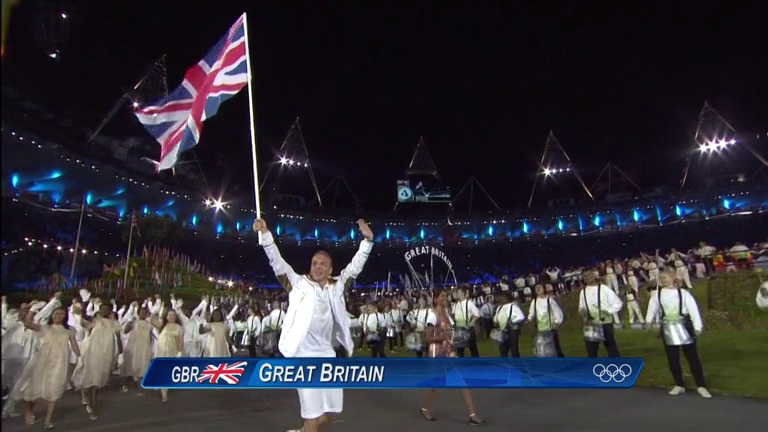
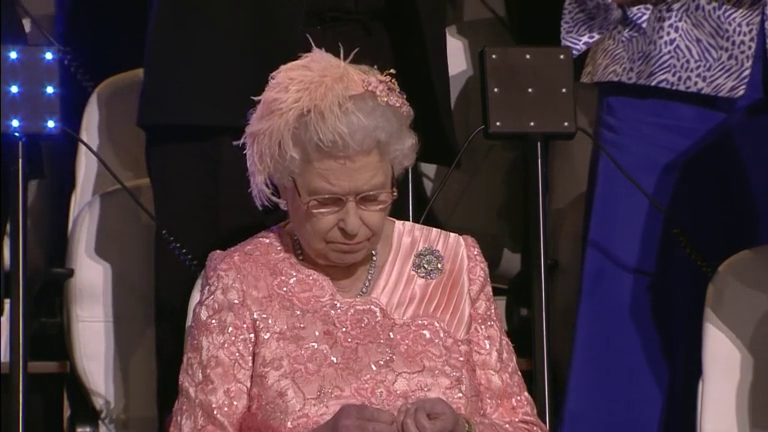
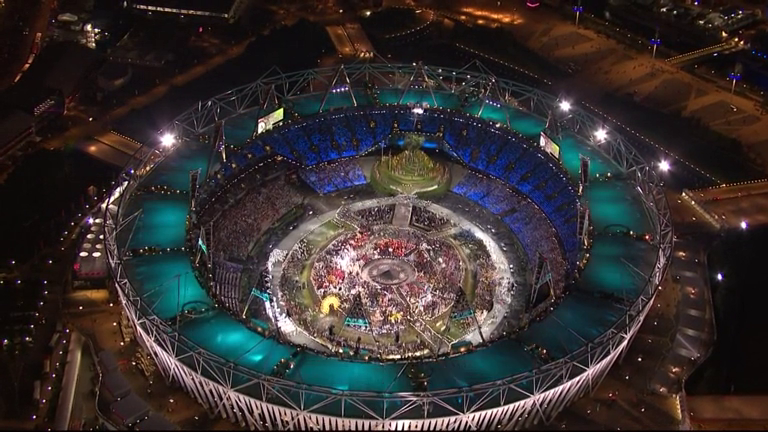
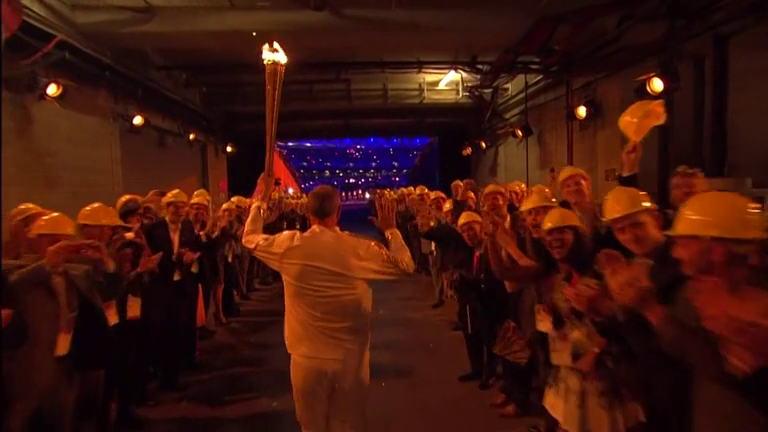
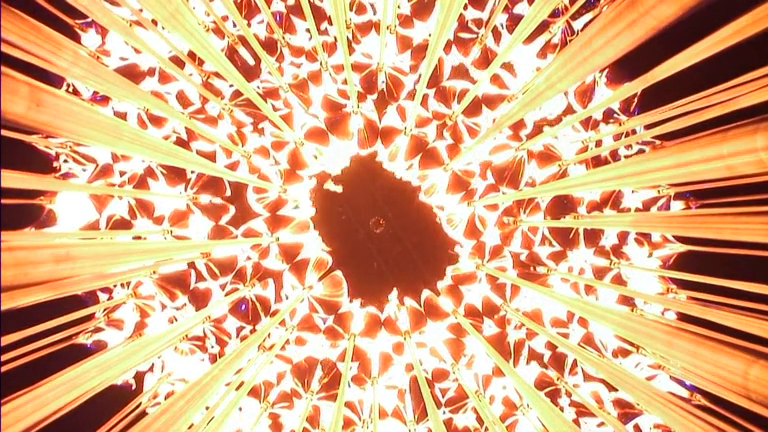
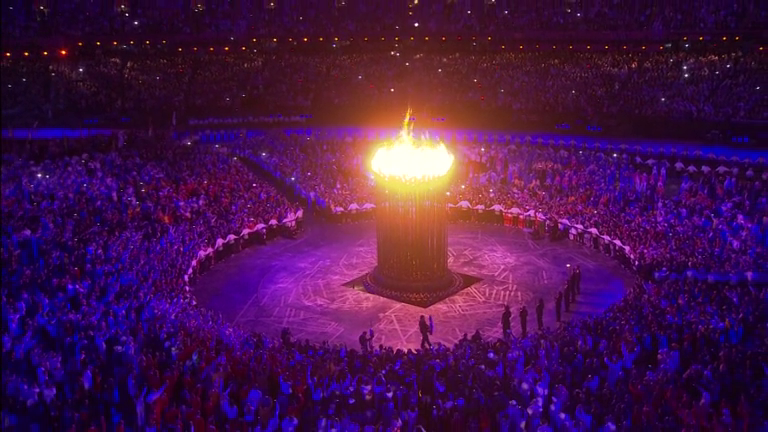
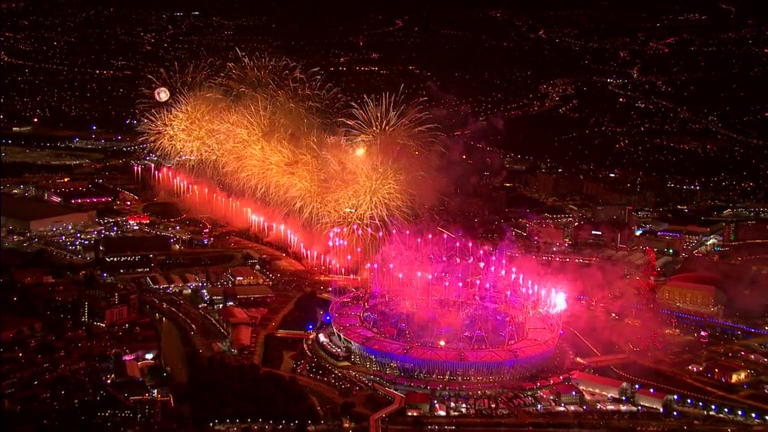
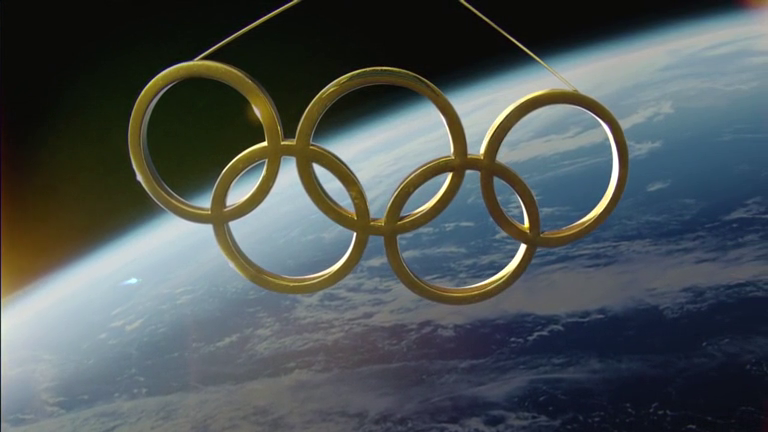
Sir Kenneth Branagh as Isambard Kingdom Brunel. In amongst the chaos he stood out.Forged rings looked incredibleI loved the light reflected in the welders maskGreat arial shot of the rings and the stadiumThat’s not really the Queen is it?It is the Queen!She can actClassic BondCelebrating the NHS was a masterstroke – nice to see it trend on Twitter tooBean – unexpected but funJasmine Breinburg – star of the show?Digital revolution celebrated with Sir Tim Berners-LeeThis is for everyoneEmeli Sande – what a voiceSir Chris Hoy leads out the Great Britain teamThe BBC cuts to the Queen who looks bored (or looks on with pride according to the BBC)By day the Olympic stadium looks ordinary but at night it comes aliveSir Steve Redgrave brings in the torch with a guard of honour from the builders of the stadium. Great touch.The cauldron – great camera shot from underneathOlympic flameThere’s always fireworks but ours were realThe rings from space
Even during the endless athletes parade while we waited for Chris Roy and the GB team the music was such a breath of fresh air. Switching to David Bowies “We Could Be Heroes” when GB came out gave me goosebumps. If you loved it as much as me then the Isles of Wonder Soundtrack is a no brainer. Thankfully Hey Jude isn’t included!
Sharing the experience on Twitter was great. Initial worries and anticipation turned into tears and joy…until Hey Jude! It also meant that the killjoys out there were ruthlessly outed. Step forward Aidan Burley, Conservative MP for Cannock Chase.
The most leftie opening ceremony I have ever seen – more than Beijing, the capital of a communist state! Welfare tribute next?
What an arse. Seemingly he was misunderstood and today he’s said it was because there was too much rap music. Looking at the soundtrack there’s hardly any. The guy has form though, last year being demoted due to some nazi quotes. But one idiot can’t spoil it.
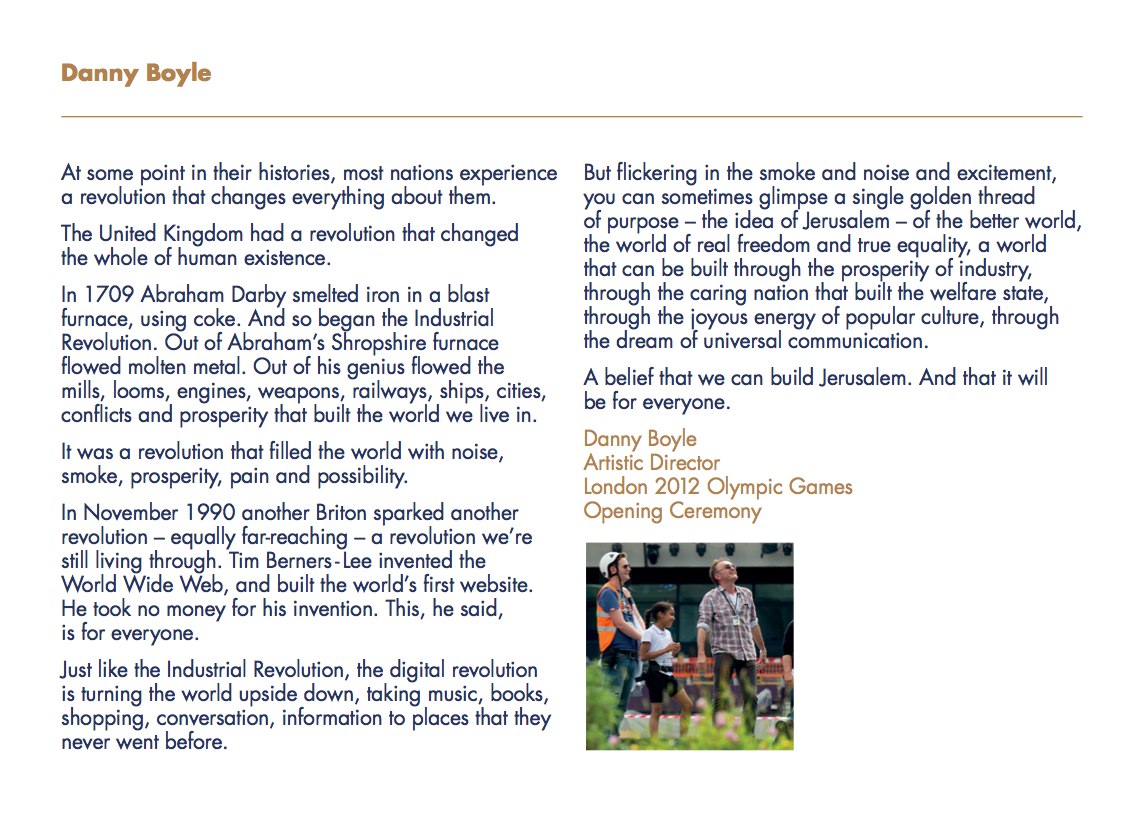
To close of with a couple of high points. Danny Boyle’s forward in the official program (and soundtrack) is inspiring.
Danny Boyle’s program forward
A final highlight was Boris the day before the opening. I don’t often agree with him but from time to time he is (comedy) gold. Enjoy.
So a new Mac and a couple of questions about what Mac apps I use has lead to this post. Scarily I looked back to when I last did a Mac app list and it was 2007. Thought it was only a couple of years ago – time flies when your having fun. So, on with the list in no particular order.
For a longtime I used Quicksilver and then Launchbar as a keyboard launcher but I recently moved to Alfred for a number of reasons. Quicksilver died from a development perspective and I moved to Launchbar as it covered much the same features as Quicksilver but a lot more too. However I found it bogged down from time to time and didn’t index as I would like. Alfred launched last year and I loved the features, the extensions but also the openness of the developer. Alfred allows you to drive your Mac fully from the keyboard – launch app’s, search the web etc. Buy the PowerPack and you can extend via scripts from the Alfred community or ones you write yourself, control iTunes and access a full clipboard history and also snippet library. A lovely app that will become your most used app if you let it.
I think everyone has a Dropbox account so there’s not too much to say with this one. I store all my documents in Dropbox so I can get them anywhere – Mac, iOS or on the web. Its great for sharing podcasts and files with the folk I work remotely with. Although there is only 2GB free, you can earn up to 18GB free and with so many app’s plugged into Dropbox via it’s API’s it’s a great way of sharing between desktop and mobile.
Still my goto app for backups. What do you mean you don’t backup? Criminal. SuperDuper! creates a fully bootable backup on a drive of your choosing that should your drive or computer fail allows you to fully restore from that point in time. As it’s a bootable backup you can also boot from it should you find yourself in trouble. I’ve certainly needed it a couple of times and it’s never let me down. Backups can be scheduled and once the first backup is complete daily/weekly incrementals take no time at all.
I finally moved to Evernote last year as my digital filing cabinet. Notes, images, pdf’s, web pages, receipts, bills, contacts, recipes, lists etc etc etc all go into Evernote. The client finally allows for rich enough text editing, images are OCR’d to allow for some great searching and there are good options for notebooks and folders. The web clipper works really well and they’ve also bought a number of smaller companies like Penultimate to grow their portfolio and I can only assume improve their note and sketching functionality on iOS. I upgraded to Premium which allows for 1GB of uploads per month, secure notes, collaborative notes and also a history of changes. One niggle – exporting from Evernote still not great so I’m tied into the service more than I’d like. Continue reading “Mac Apps”