Spotify

I’m a bit late to the party but now that I’m here I’m so glad I came. Spotify is a music service that, via a small local client, gives you access to a massive library of music. Legitimately. For free. The music is streamed but the quality is excellent and also very fast. This would be so so if the music library was small but it’s not. Having done deals with Universal Music Group, Sony, BMG, EMI Music, Warner Music Group and others means there is a massive amount of content. There are some noticeable absentees like The Beatles, latest Radiohead etc but that’s not a big surprise nor detracts from Spotify.

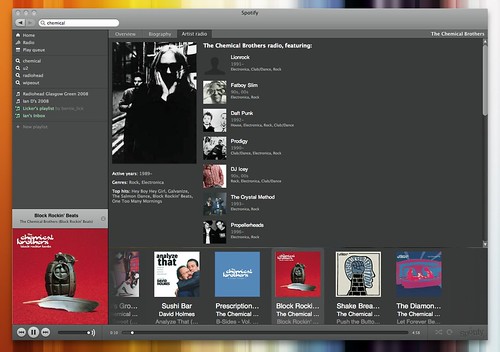
Spotify Artist Radio

So in the short time I’ve used it what do I like about it? Firstly the massive library. I’m looking for obscure tracks and more often than not you find them. The application itself is easy to use with a simple and clean interface. Reminds me of Pandora which you can’t get in the UK anymore unless you work around it’s blocks. The home page let’s you see new additions (how bad is the new U2 track?) and also see top tens from everywhere or by location. The link to the U2 track is a Spotify link – click on it to listen to the track in Spotify – a nice way of sending music to friends but not the only way.

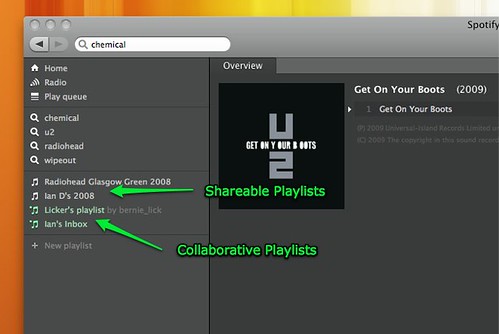
Spotify Playlists

You can create playlist’s in Spotify just like you can in iTunes. Create a playlist, search for tracks and then drag them to the playlist. Nothing too ground breaking. Once created though, right clicking on a list will allow you to select an HTTP link or a Spotify URI. You can then send the link to friends or publish on the internet. Clicking on the link will load up the playlist in Spotify – really simple and a lot better than a mixtape or best off list – here’s my tracks of 2008. Another option available is Collaborative Playlists. Selecting this will turn the playlist into a shared list that any user can contribute to. So at the moment I have a Lickers playlist that our gaming community can share music in and an Ian’s Inbox playlist. Hopefully other people will use that playlist to send me music that they think I will like or should try. That idea looks to have stemmed from here originally.

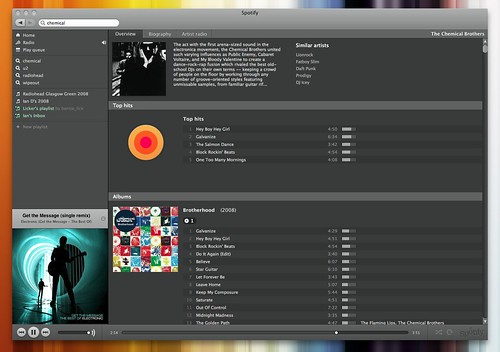
Spotify Artist

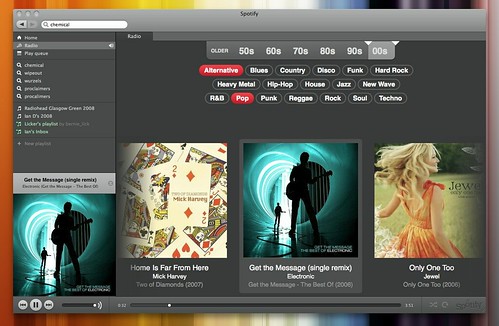
Searching for an artist will quickly bring you to the artist page which shows their tops hits, discography and a biography. Searching for Chemical Brothers as above shows all the tracks available on Spotify from their albums and EP’s and also compilation albums that have their tracks – great for listening to similar types of music and finding new artists. Also available is Artist radio which plays tracks from the selected artist and also artists similar to them – Last.fm has much the same service. Speaking of Last.fm, Spotify client also scrobbles to your last.fm account which is handy. You can also use the Radio in Spotify which has some nice simple filters. Select a decade ot two, then select a few genre’s and press play. Great variety although with that there are some real stinkers that are selected for playback. Even though it’s a streaming service it’s quick to click on to the next track with little or no pausing between tracks.

Spotify Radio

I mentioned that Spotify is free but that does mean accepting adverts being displayed in the client and also audio adverts every 10 or so tracks. So far they haven’t been distracting and are far less intrusive than the commercial radio stations in the UK. There are also two pay for access options. The Day Pass costs £0.99 and gives you ad-free access to Spotify for 24 hours. Premium costs £9.99 per month and removes the ad’s and also gives you access to a lot more invites. For now free is working great for me.

While Spotify has really impressed me there’s always room for improvements? Playlist’s need folders as I can see that growing massively over time. I’d also like some more info on the collaborative playlists – highlight new tracks added, show the user who added them and how many people are subscribed to the playlist. I guess that’s the surprising miss so far – no social networking aspect. I’d have thought a friends list within the app or website would be a must – see what friends are listening too, automatically share this playlist with all friends, make a collaborative playlist friends only or public. Would become quite a powerful tool with those additions. Collaborative rating of tracks anyone?

It would be fantastic to stream Spotify music to 360’s, PS3’s or DLNA supporting boxes. I’ve created some playlists on the PS3 for Wipeout. I’ve got 3 or 4 covering the original versions of the game plus a couple for new rock and electronic music. How great would it be if I could create the playlist in Spotify, be able to play that back on the PS3 and also share that list out so others could use it too. Mmmm. I wonder if I could use Connect 360, iTunes and something like Nicecast to stream Spotify to the 360? Nicecast to create the audio stream from Spotify, subscribe to it in iTunes and listen to it via Connect 360 on the Xbox 360. Might try that later today.

I guess adding features would start to clutter up the client which I like due to its simplicity. No equalizer and minimal control set. Currently Spotify is only available on Mac and PC’s. No web streaming available and no mobile client either. I think this would be great on the iPhone and offer unique features that the other music streaming app’s don’t currently offer. No official word although the support forums hint at something may be coming soon to the iPhone. Here’s hoping.

There’s also a number of web sites springing up to help with the sharing of playlists. Spotifylists.com, Listiply, Spotylist and Spotyshare all offer much the same playlist sharing functionality. Topsify shares the current UK Top 40 as well as Swedish and US charts. I also have it on good authority from Windows users that Replay Music is a great way of saving mp3’s from Spotify. Not tried it myself so ymmv. Another app worth trying is Mixifier which let’s you easily share Spotify playlists with Facebook friends.

Highly recommended app and service. I have a few invites left at the moment so drop a comment with an e-mail address and I’ll send out invites to whom I can. If you do join, or are already using Spotify, drop off some recommendations in my inbox.

London Calling

While down in Peterborough over New Year visiting Shakeel instead of the usual spend on gadgets and playing of games we took a trip down to London, booking the London Eye and taking advantage of a cold but sunny winters day. It was also a chance to get some photography done – we were tourists for the day!

Sir John Betjeman statue at St. PancrasFirst stop was St Pancras station which has been newly redeveloped. It really is quite magnificent. There’s something about glass roofs that I really like. There’s also a nice mix of old and new architecture and the restoration is pretty faultless. I guess we were lucky as when we were there the station was very quiet so we got to take our photo’s without too much hassle. Full set can be viewed on Flickr.

Capsules at the London EyeAfter some pictures around Westminster it was on to the London Eye. After lot’s of queueing we finally got on, although we did manage to ‘jump’ about half of the queue which was nice – it was too cold to feel embarrassed. The hazy winters sun started to clear as we ascended and we got quite a lot of good pictures. The view in the summer must look amazing on a clear day. What was strange was there was no real sense of motion – it moved so slowly that you didn’t feel it at all. The full set of photos can be seen here. One shot I really wanted to get was a panoramic – stitching together lots of photo’s to get a wrap around view of London. It didn’t quite work out due to the low sun and the ever changing perspective but the result isn’t too bad as long as you don’t look to close – it’s also pretty wide at 18702 x 1614 pixels!

After that it was a walk around Horse Guards parade, St James’s park and Buckingham Palace. All very nice but by this time I was getting extremely cold. I really should have wrapped up a bit better than I did. It was a great day though and really enjoyable. It took quite a while to get the photo’s sorted and uploaded. I initially took over 600 photo’s but ended up with 140 published on Flickr. I also used Lightroom for the first time and I’m now hooked. So much more control over the image than in iPhoto. Just a shame that iPhoto 09 is coming with really nice albums and iPhone syncing. If only iPhoto worked like Picasa and managed photo’s in there own locations without having to suck/copy them into iPhoto’s library. I hate duplication.

Panoramic London from the Eye

Couple of things I need to remember when taking a photo. I don’t spend enough time watching where I’m taking a photo from. Lot’s of photo’s were slightly off centre from what I wanted to or were from a bad angle just because I didn’t think the photo through. I also need to work on not shaking as much – even with image stabilisation switched on I had a couple of disappointing photo’s. My favourite photo from the day though is the one below of Shakeel in the London Eye capsule. Just captures him really well. His full set of photo’s from London are also up at Flickr – he took some really great shots, even some of the ones without me in the picture are good. Hopefully this is the start of a lot more photo’s this year as is something I really enjoy doing.

Shakeel at The London Eye

Twitter Goes Mainstream

Over the last few weeks there’s been a noticeable change while using Twitter. Not in the service itself although it has had a few hiccups which I haven’t really seen for months. No, it’s in the people using it. Non geeks are using it. Celebrities are using it. Heck, even the British press have found out about it and are now quoting it. Great.

Well, I thought so. However I’ve read a few blog posts and tweets saying that Twitter has lost it, it’s jumped the shark, it’s time to leave, the world is ending, I don’t know how I can cope. The usual blogger faire. While you can’t stop people having their own opinions on this the bit I don’t get is Twitter, like all social networking tools, is whatever you want it to be. If you use to connect with friends then follow only them and keep away from the celebs, the news networks and the tech industry trendsetters that can be quite noisy. Don’t like someone’s tweets – unfollow them. I really don’t see what the issue is?

I follow people I know in real life, bloggers that I enjoy reading, some of ‘the celebs’ who are actually conversing on Twitter (@stephenfry, @wossy, @bobbyllew ), some of the Mac community and some of the noisy tech crowd. At the moment this is giving me a great mix of tweets and I get a lot out of Twitter. The only real dislikes I have are the spammers that are trying to build massive networks and folk who keep on tweeting about their latest blog posts. It’s called RSS!

Another aspect of Twitter that’s been discussed elsewhere is it’s news carrying worth. This week has had a few ‘popular’ news stories. The deaths of Patrick McGoohan, Ricardo Montalban (KAAAHHHHHHHHHHHNNNN was a fairly popular tweet) and then the Steve Jobs illness all exploded on Wednesday. I couldn’t believe how many people were tweeting on Steve Jobs as it broke, first questioning it, then confirming it and then adding their own comments. However those stories were nothing compared to the Hudson plane crash landing. Oh, and this picture. Taken from an iPhone of all things. Yes, the one with the crappy camera. Just shows that being in the right place at the right time is what really makes the difference. I’m a bit of a news junkie so having stories break and unfold in real time is very addictive. That picture was doing the rounds on Twitter while mainstream news sites were just breaking the story never mind showing pictures. It was the same during the Mumbai attack – Twitter and Flickr provided so much on what was really happening on the ground from people really affected. You just have to watch as people will take advantage and lie about what’s going on, making it difficult to separate fact from fiction.

The Twitter picture made the BBC 10 O’Clock news yesterday and has been blogged about too by the BBC. The real question from mainstream media is around Twitter being a reliable news source? For me it’s as reliable as any blog (so take some things with a pinch of salt) and how do you determine if mainstream media is accurate? Would you say that everything in the papers is true? The Daily Record have been using Andy Murray’s tweets as the basis for a few articles recently, quoting that Andy ‘has told the Record’ where in actual fact he’s published a tweet. No doubt the Daily Mail will turn Twitter into some sort of national threat, a place full of shady folk doing shady things. A breeding ground for sexual deviants. What, you mean it’s not? Already the press are crawling over Jonathon Ross as in a tweet he asked for a word to drop in during the Bafta’s as if it’s oh so shocking and it shouldn’t be allowed. Sigh.

Now that I’m tweeting regularly I don’t think I’ll be stopping any time soon – I enjoy it too much. It’s another tool to communicate with like IM, e-mail, blogs and forums. Just don’t believe everything you read and unfollow what you don’t like. Roll on my 1000th tweet.

Playlist

From The Herald’s review of last nights St Johnstone – Rangers game…

How’s this for a playlist? Money by Pink Floyd, Money, Money, Money by ABBA, Money for Nothing by Dire Straits and Money’s Too Tight to Mention by Simply Red. The cruellest selection was Bruce Springsteen’s classic, Glory Days, and Ring of Fire by Johnny Cash was labouring the point. With this soundtrack blaring in the background, Boyd limbered up impervious to the supposed resurrection of his £3.75m transfer.

Made me laugh – much like Rangers first goal.

Roundup

Busy weekend that was mainly indoors due to the quite lovely weather outside. Give me cold and dry any day over this wet and windy nonsense. It did get off to a great start when four parcels arrived Friday/Saturday. While not quite as good as the instant gratification of buying form a shop the fact I’d saved some cash with these purchases made it all seem a little sweeter.

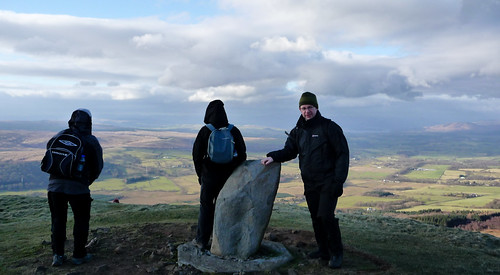
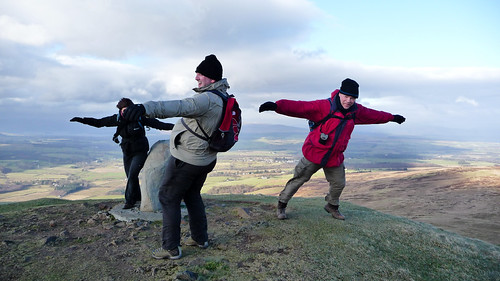
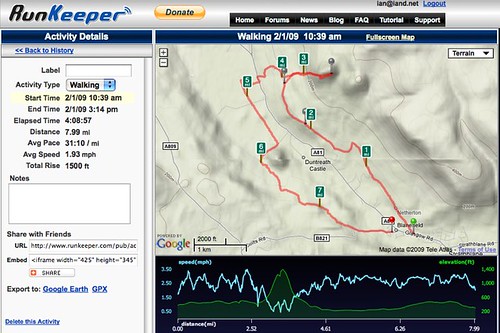
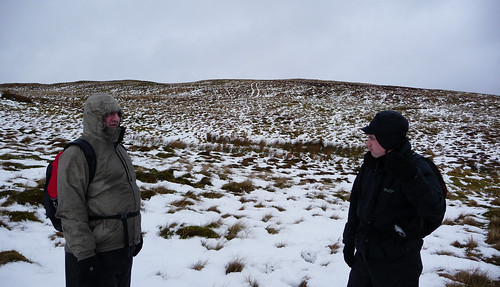
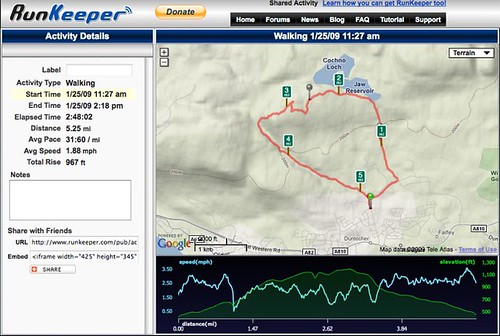
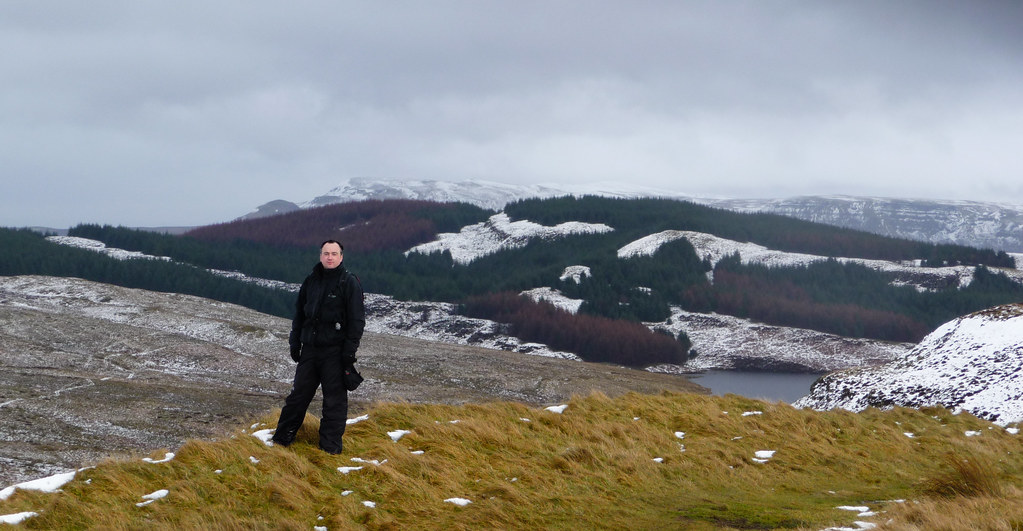
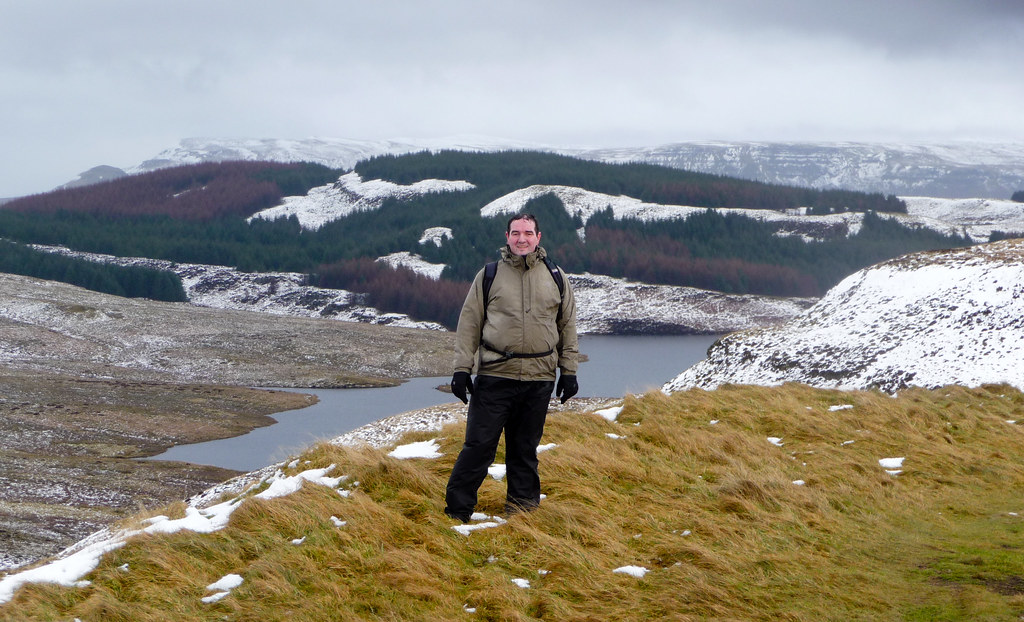
First parcels were the rest of my hill walking gear. That’s me pretty well set now for the first walk 2 weeks today, a 6 mile jaunt to break everything in. The following weekend is a 12 mile walk which will be slightly more challenging. I can’t wait! Really looking forward to getting out and about. To help I’ve also picked up a couple of books including a cracking little pocket book of 40 walks close to Glasgow.

A new piece of tech was also in one of the parcels – a Bamboo Fun graphics tablet. One of my work colleagues has used one for years and I’d always been tempted. Seeing Shakeel use one over Christmas convinced me of their value. I’ve been using it today to process my London Eye photo’s in Lightroom and it is so much easier, offering far more precision than the mouse. While not essential I’m really pleased with the purchase.

Windows 7

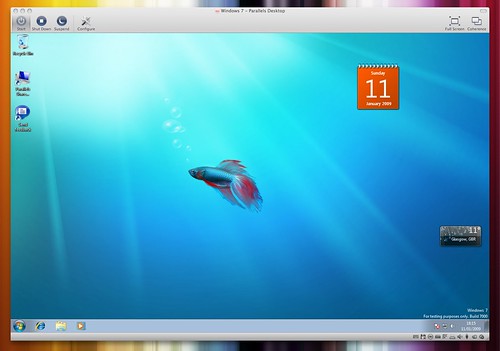
More tech geekery – I’ve switched back to Windows 7. Can’t believe how much improvement over Vista and XP this is. So much so I…..nah – I won’t be switching back 😉 But I was impressed with it once I had it installed using Parallels 4. Quick to boot and shutdown compared to XP never mind Vista. It also looks pretty sweet. Not done to much more with it but will probably remove my XP virtual machine and use this instead.

Apart from that I started a nice new project for work that hopefully won’t take too long to finish off and I’ve caught up with the Screenwipe review of the year which was class. 24’s back tomorrow, Battlestar next week, Lost at the end of the month and FX is showing The Wire from Feb 23rd which if you haven’t caught yet should be added to your diary. Unmissable.

Oh, almost forgot. Tried Spotify today. Very impressive. Reminds me of Pandora before it stopped working in the UK.

And finally, I think. Macworld. Kind of quiet but iPhoto and iMovie 09 look to be very good upgrades so I’ll probably be upgrading at the end of the month. DRM free iTunes is good but it’s been a long time coming so doesn’t seem such a big deal. Even the Macbook Pro was fairly tame except for the non replacable battery. If that option plus the matte screen was available for the 15inch Macbook Pro I’d really consider upgrading. Thankfully it’s not!

On My iPhone

Because I liked this post on Gordon’s blog and I know of three people that have picked up iPhones this week I thought it was time to go through the app’s I use on my iPhone. The App Store is packed with app’s but with so much choice comes so much duplication, so many paid app’s where free app’s are just as good if not better. I’ve spent far too much on app’s so hopefully this will be a good pointer as to what’s worth buying…and not. In fact I’ve bought so many that I now have seven pages of app’s. Oops.

Doing this review has actually been useful for me. I’ve removed duplicate app’s and moved app’s around to more useful spots. I’ve also found some app’s that I really must try – Stanza, AllRecipies, WiFinder to name three. Oh, and pacman. Anyway, lets get cracking – this is a long one! If you want to jump to games then head down to Home Page 6. If you want a quick games recommendation without reading through the post then Fieldrunners, Warfare Inc, Wurdle, Virtual Pool and Rolando would top my list. Right – Home Page 1.

Continue reading “On My iPhone”

2009 – Products I Can’t Live Without

Read this post on Techcrunch describing the app’s that Mike Arrington uses day to day and would be less productive without them. Thought it would be fun to do my own and revisit every year to see what changes. So without further ado and in no particular order:

  • Google Reader – all my regular website/blog reading is done in Google Reader. Quick, feature packed and a great iPhone interface make this a winner.
  • iPhone – it’s become the essential gadget for me. A web browser that works well on a mobile, a touch interface that makes the phone and it’s app’s easy to use and a suite of app’s that extend the usefulness of the phone beyond any other I’ve used before. The positives far out way the negatives and it’s by far the best phone, maybe even the best gadget I’ve yet owned.
  • Firefox – use it at work and at home. Great browser on PC’s and Mac’s and combined with Foxmarks it’s currently unbeatable. Chrome once released on the Mac supporting plugins could change that in the future.
  • Remember The Milk – use it all the time to manage my to-do lists. Great web interface now supplemented by a wonderful app on the iPhone.
  • WordPress – used on this blog, newly updated and still hard to beat due to the large plugin library and community that surrounds it.
  • Toad – used every day at work for SQL Development. Essential, too many features to mention although UI isn’t the best with powerful features often lost or hidden within a multitude of menu’s and forms.
  • Notepad++ – I finally found this great Windows text editor this year. Great features and free.
  • Evernote – Note management on steroids. Windows client at work, Mac client at home on desktop and laptop, web based interface and iPhone client all in sync with ability to add and edit notes on any of these platforms. Smartest feature is OCR of any image uploaded to server. Can also store PDF’s and files attached to notes. I use the free option and can’t recommend it highly enough.
  • Twitter – can be seen as frivolous but more and more it’s becoming a great platform for communicating and also watching/responding to real world events far quicker than blogs/websites/traditional media can.
  • Tweetie – makes the most of Twitter on the iPhone. Could be my most used iPhone app and is certainly the best iPhone client by quite a margin.
  • iTunes – it has it critics but it works well for me, and it gives me great access to my local content, podcasts and also app’s and music via the store.
  • Mac OS X – while I can happily live without Windows I would be far less productive at home with Mac OS X. Windows 7 looks to be an interesting future release that offers a viable alternative to Mac OS X, something that can’t be said for XP or Vista.
  • Flickr – where I post all my images and where most of my friends post to as well. Still like the look and feel of the site, the features it offers and the community aspects that are hard to find elsewhere.
  • Textmate – used almost daily on the Mac. Similar feature set to Notepad ++ although slightly better laid out and for me quicker in operation.
  • Google Search – used every day. Can’t see anything breaking Google’s hold on the search market.

I use lot’s of other app’s and websites but they could easily be replaced whereas with this list I would be far less productive or have struggled to find a product as good as these. Anything missing – I do use Gmail but to backup my websites. It’s blocked at work so limits it’s use. I could access it on the iPhone but it’s own e-mail client is good enough. I do feel I may be missing some good tricks with Gmail though. I’ve also dabbled with Google Docs and Zoho but yet to settle on one. I’d like to move a few more docs onto these platforms in the coming year.

I’d love to see what others use day to day to see if I’m missing out on anything. Feel free to comment or link to your blog posting.

Macworld 2009

This is what I want, not expect.

  1. New update to iPhone OS. Copy and Paste, MMS, more screen customisation options, ability to remove stock apps (Stocks, Notes, Weather etc), run background app’s if the user wants to at their own risk with reduced memory and reduced battery life but at least give me the option, wireless sync and the long lost push notifications that were due in Sept. Sept 08. Thanks.
  2. Apple TV scrapped. Replaced with updated Mac Mini which is sold at a far reduced price. More capability, reduced price, new 10 foot interface. Boxee comes pre-installed.
  3. Snow Leopard – free update in Summer 09.
  4. One more thing – Mobile Me – it’s a great service and we’re really sorry about all the issues. Have it for free.

How great would Macworld without Steve Jobs be if those were some of the announcements tomorrow? I guess we’ll need to make do with some iLife news, some Snow Leopard news and predictable Macbook pro and Mac Mini updates. Oh well. Get well soon Steve.

P.S. Is anyone else, like me, expecting Phil Schillers keynote to be more entertaining than Steve Jobs?

Next Year

Looking back is never usually a good thing. Last year’s resolutions surrounded two main targets – lose more weight and getting more hands on with programming. Well, one out of two ain’t bad.

A picture saves a thousand words:

Weight Loss 2008

After my last weight update I wanted to lose five stones in total. Unfortunately I didn’t make that target. Since Sep 07 I’ve lost four stones and 13 pounds. One lousy pound short of my target. Grrrrrrr. Never mind, I’m pretty pleased with the weight I’ve lost and I’ve done better than I thought I would when I started back in 07. I’ve not done the same amount of exercise in the later half of 08 as I did in the first six months but something that’s obvious to me (and everyone else!) is that without further diet changes I will put the weight back on slowly but surely which is obviously not what I want to do.

So the year ahead will see some more work on the weight and another target – get another stone off. That will take me down to around 13 and a half stones which I think is good for my height/frame and make a total loss of six stones from when I started in Sept 07. BMI will still be higher than recommended but that’s a guide only and not something I’m going to treat as a hard and fast target.

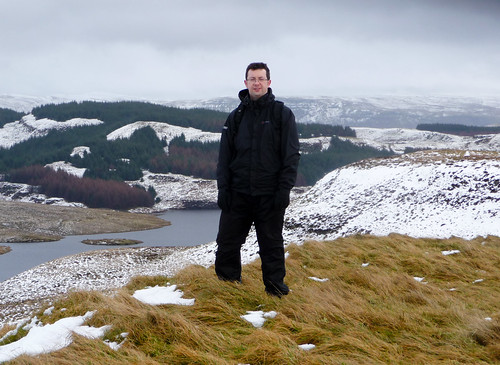
I’m also taking up hill walking. Got most of the gear now (waterproofs to buy – maybe I don’t need them for hill walking in Scotland ;-)) and first proper walk should be in the next four weeks or so with one taking place each month. Should also help with another thing I need to work on – taking more photographs. I know what I need to do but like most peoples resolutions that’s not the issue – it’s getting my ass in gear – that’s the issue.

Last year also had a ‘must get into programming more’ statement. That worked, not! Don’t know how yet but I want to set aside some time, regular time at that, to program for the iPhone.

Written down it all looks pretty simple. Happy new year folks! Hope you have a good 2009.

Blog Updates

With work finished for the year (and by that I mean I’m not dialling in to work again as I would end up doing ‘stuff’) it’s given me time to make a few tweaks to the blog. So, in no particular order:

  • On the hosting side moved from PHP 4 to PHP 5. No noticeable improvements or issues except that I can now run a few extra plugins that were PHP 5 only.
  • New WordPress, new theme. I’ve moved to using Depo Clean which I’ve always liked. Hardly any tweaks – made it slightly wider and gave the sidebar slightly more room and that’s it. Still need to think of a catchy tagline.
  • Dropped the number of plugins I was using which has speeded things up a bit.
  • Added Lifestream plugin which I really like. Seems to work quickly and so far without errors.
  • WordPress 2.7 back end is very different. I actually like this over 2.6 except it still feels sluggish. So I’ve removed some dashboard entries which has helped and also moved to turbo mode using Google Gears. This install, for me, was really messy and I constantly had to enable/disable gears and refresh the install page. Now that it’s complete there is a small but worthwhile performance increase.

That’s about it really. Now onto the important matter – content. I’ve got a handful of draft posts that I either need to finish, but they might not exactly be relevant now, or ditch and move on. Finding time to blog has been difficult. Even knowing what to blog has been difficult, especially as Twitter works so well for firing off quick one liners and links. Still, I’ve a few posts that I do need to get completed over the next couple of weeks so we’ll see how it goes after that. I can never see me shutting the site down but I would like to post more so it doesn’t feel so stale. Ahh, so fuck- who cares if it’s stale. It’s my site, I’ll blog when i want to! Mmmm – there’s a tagline in there methinks.