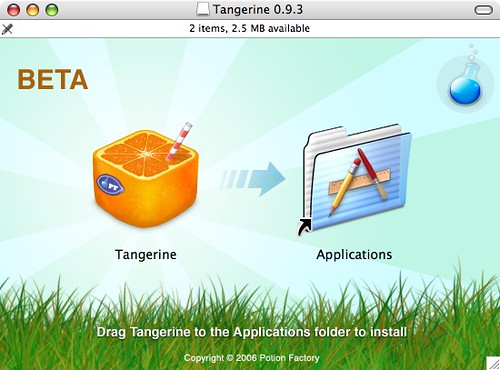
Tangerine is a new beta app for the Mac that has one major aim – to create playlists for iTunes based on the Beats per Minute (BPM) of a track. It also wants to do that quickly while looking good at the same time. First impressions are that it manages all three.
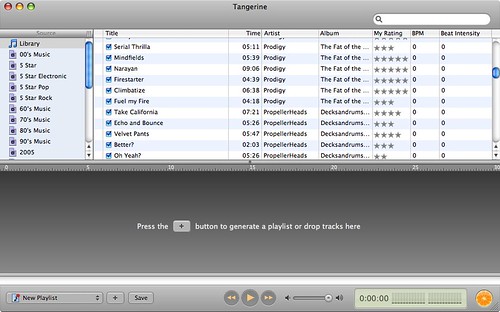 Once installed and running Tangerine will locate and analyze your iTunes library. There are issues if your library is located on an external drive but mines detected without a problem. The analysis is very quick – Potions website states around 3 tracks every second but obviously the anaylsis will be dependant on your library size and your encoding quality. Once analyzed it’s then down to you to create playlists based on the BPM that’s been associated to the mp3 file.
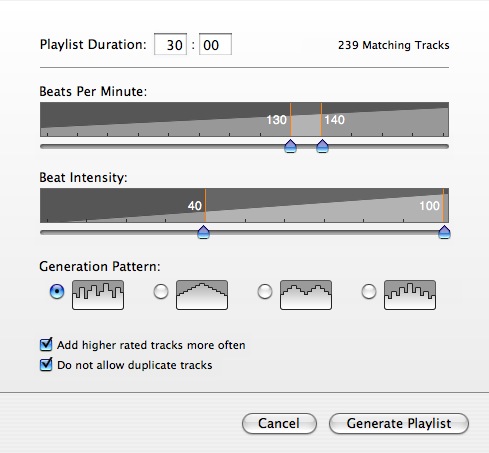 By using sliders to easily change the criteria it’s easy to make varied playlists – from fast paced workouts to slow burners. Once complete the playlists is displayed and you have the option of saving it in your iTunes library. Another nice feature is the ability to write the BPM values back to iTunes allowing you to use the BPM within iTunes itself.
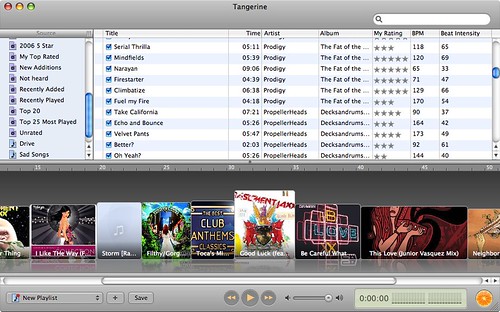
All the basic functionality worked well but there were one or two quirks especially with the BPM analysis. It seemed to mark some real slow tracks with very little beat with a high BPM. However it didn’t mark any of the faster tracks incorrectly so hopefully this can be addressed before official release. The look and feel of the app though is terrific. Once the playlist has been generated it is shown in the Tangerine window along with it’s album art. There are also some nice speech bubbles used to show track info. Playback controls (more accurately playback info) could have been displayed with more clarity though – again something that could be addressed before 1.0 release.
Some features I’d like to see – ability to use a playlist as a source for the newly generated playlist rather than the whole library. I’d also like to pick genre or ratings (you can select use predominately higher ratings) and base new playlists on those criteria. Actually I can pick genre or ratings – you just need to add a rule in the preferences which you can enable/disable to you liking. Nice. I guess the one thing it really does need is a readme…and a help file.
This is a really handy app for gym bunnies or runners that want to tailor there playlists to not only good songs but songs that match their pace. I’ll be using it to generate some game based playlists – high for racing games (or Lumines), low for something like golf. One little point to finish on – the installation screens on Mac are great and Tangerines is one of the best. Enjoy.